
Compare connected-control functions, hardware compatibility and authorized access.
A garage door app works only with compatible hardware and account access. Check the actual kit, opener, network and sharing requirements before choosing an app or assuming that an integration is supported.
The best garage door opener app is not necessarily the one with the longest feature list. It is the one that supports the hardware you actually own, gives the right people controlled access, and has a support path you can still follow when a phone, router or household changes. An attractive screen cannot overcome an incompatible receiver or repair a door that binds.
This is a manufacturer-documentation comparison, not a claim that we have personally tested or ranked every app. We compare myQ, Genie Aladdin Connect and Overhead Door connected products as practical starting points, then show how to evaluate features without confusing a free download, a hardware purchase and a separate subscription.
The first choice is hardware architecture, not an app icon
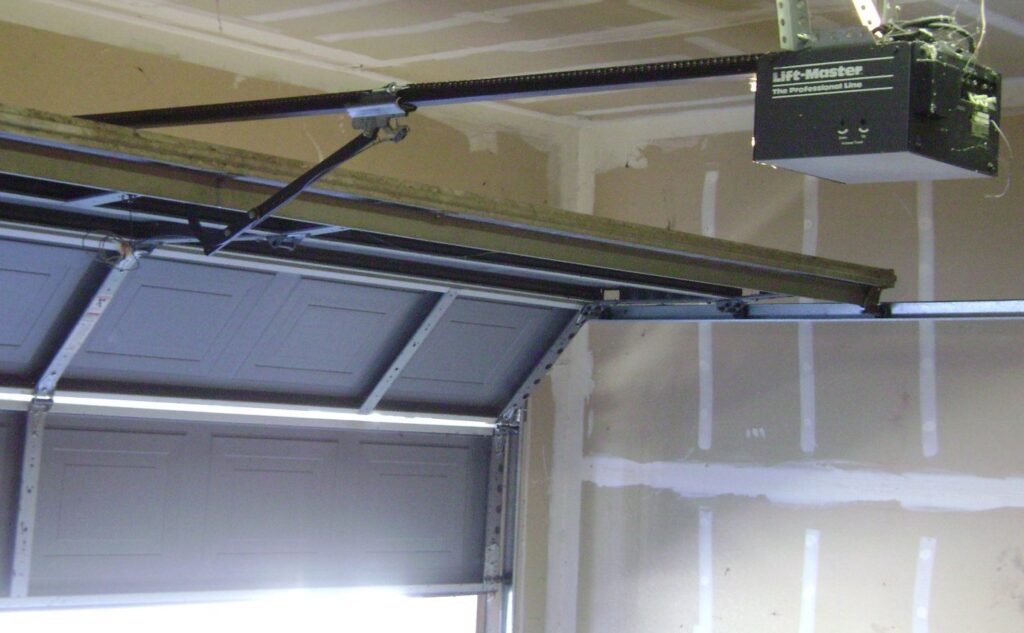
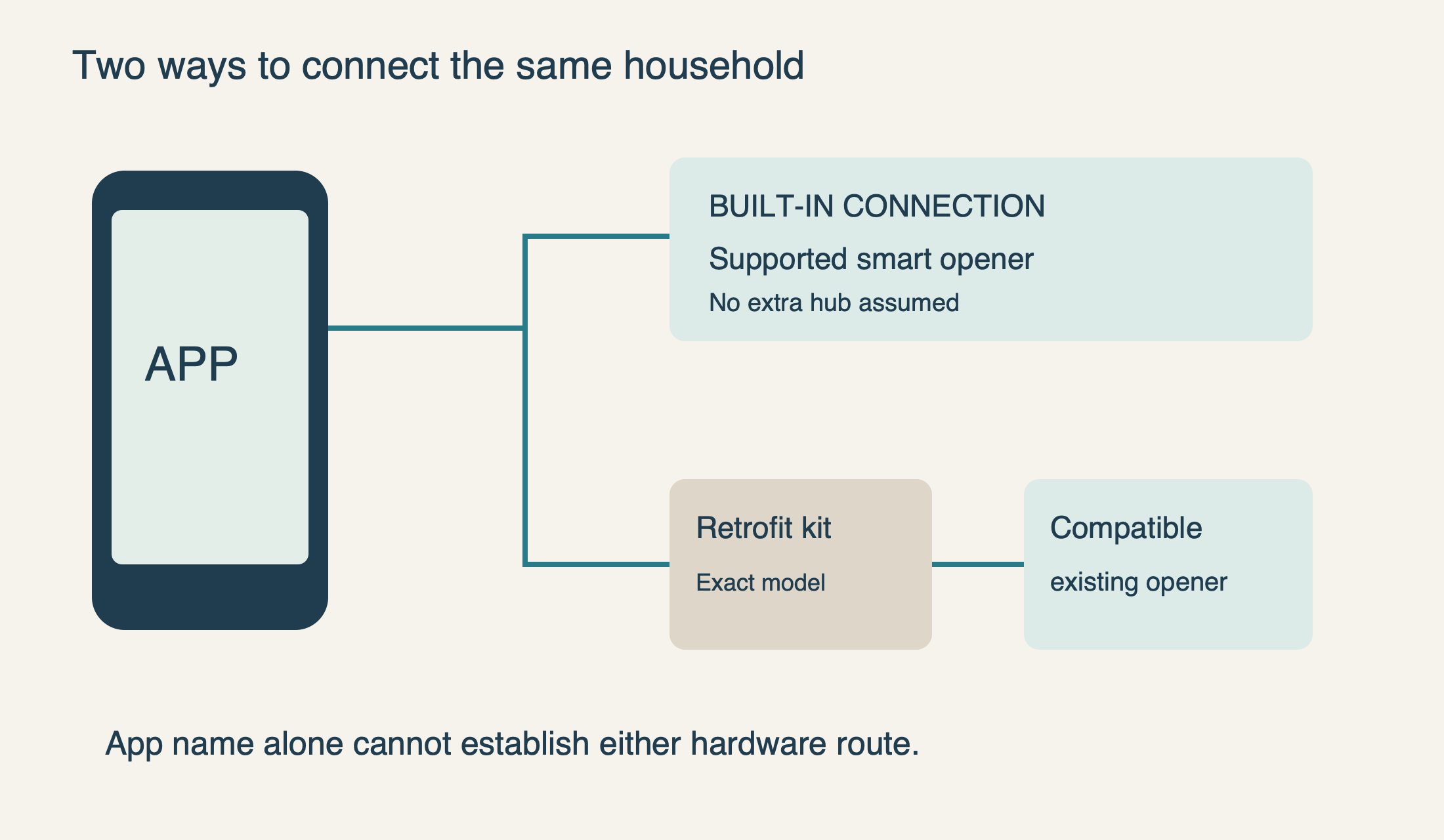
Identify the opener motor unit, not just the brand on the door panels. Record the complete model and any separate smart controller. The door and motor may come from different manufacturers, and a later retrofit kit may introduce a third product name. A phone application normally communicates with connected hardware; downloading it does not add a network radio to an arbitrary old opener.
Assess the door and opener first. If the door is crooked, the cables look loose, or normal local operation is unreliable, resolve that before adding remote access. A retrofit is a connected-feature decision, not a way to conceal a mechanical problem. If replacement is already needed, compare the new opener’s physical suitability and safety features alongside its app ecosystem.
 Select the diagram to view it at full size.
myQ: a logical starting point for supported existing equipment
For supported Chamberlain or LiftMaster hardware, begin with myQ’s setup and compatibility tool. It distinguishes connected opener and retrofit routes. Establishing that your equipment is supported is more valuable than downloading several competing apps and hoping one discovers the opener. Our myQ setup guide covers the subsequent network and account work.
The important purchasing caveat is integration scope. The current official partner list marks Google Home, Apple HomeKit/Siri and Samsung SmartThings unsupported. Using the myQ app on an iPhone does not make the opener controllable from Apple Home. A delivery partnership likewise does not prove support for every voice assistant sold by that partner.
Choose myQ because its supported equipment and specific features suit the household, not because an older article promises universal automation. If a vehicle display or another platform is central to the decision, confirm the exact supported feature and current plan separately. The useful comparison is the complete arrangement you will use, not the app-store download price alone.
Aladdin Connect: distinguish the retrofit generations
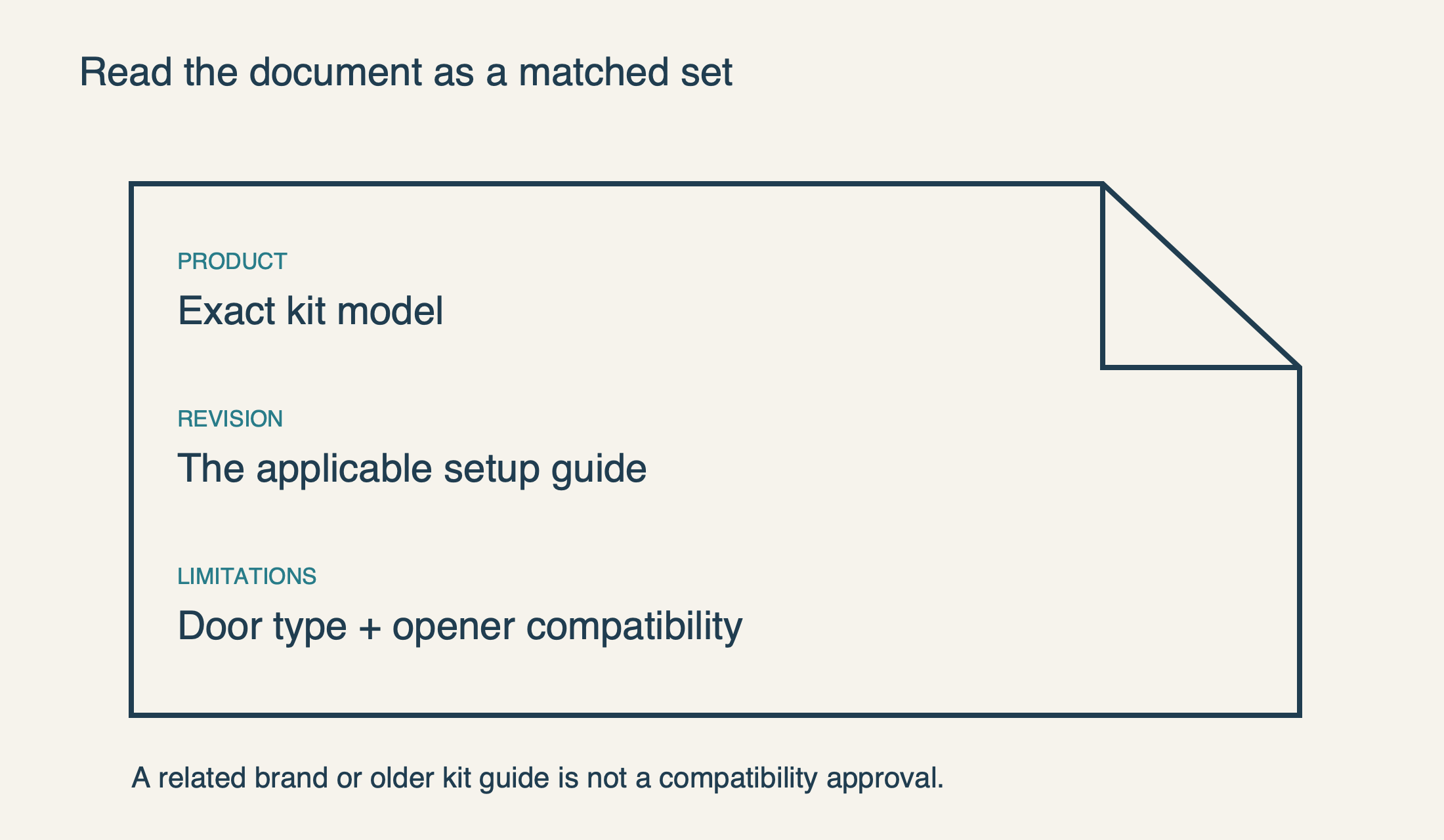
Genie’s Aladdin Connect support hub separates Wi-Fi opener setup, single-door retrofit support and a three-door wired retrofit path. That separation is itself an important buying clue. Two packages using the same app name can require different installation and compatibility checks; a review of one kit does not automatically describe the other.
The compatibility document linked by Genie as Aladdin Connect Compatibility July 2026 identifies sectional doors as suitable and one-piece doors as unsuitable for that documented retrofit. It excludes openers made before January 1, 1993 and equipment without safety beams. It also identifies a dry-contact adapter, part 38013R, for the SeriesIII cases described there. Those are product-document limitations, not a blanket compatibility promise for every connected Genie device.
For a household with supported Genie equipment, Aladdin Connect deserves evaluation on that basis. For mixed-brand garages, evaluate each opener separately using the actual kit’s current compatibility information. The fact that one door connects successfully does not establish that a second door with a different receiver will behave the same way.
 Select the diagram to view it at full size.
Overhead Door: match the app to the exact product and guide
The current OHKT2-P product page describes OHD Anywhere remote access, door status, access history and virtual keys. In the version reviewed for this guide, its benefits text names the OHD Anywhere app. The page also contains a video link labeled Aladdin Connect and links an older setup document. That mixture should prompt verification, not an automatic recommendation to delete an existing app or migrate an account.
The linked setup guide dated March 2023 names OHD Anywhere and describes a particular control-module arrangement. It is not sufficient evidence for applying every older kit specification to the newer product named at the top of the page. When the box, product page and linked manual do not align clearly, ask support to confirm the correct guide and app for the exact model before purchasing or changing a working installation.
This is why we do not rank OHD Anywhere and Aladdin Connect as though their names alone define every hardware generation. The relevant question is whether the manufacturer supports your specific product through the intended app today. Keep the existing account and installation information until a replacement setup has been verified locally.
Compare everyday access, not just remote opening
Write one primary use case before comparing features. A homeowner who wants to check whether the door is closed has a different requirement from a household granting scheduled access to several people. A feature that sounds impressive but does not serve the use case should not outweigh clear compatibility and maintainable access controls.
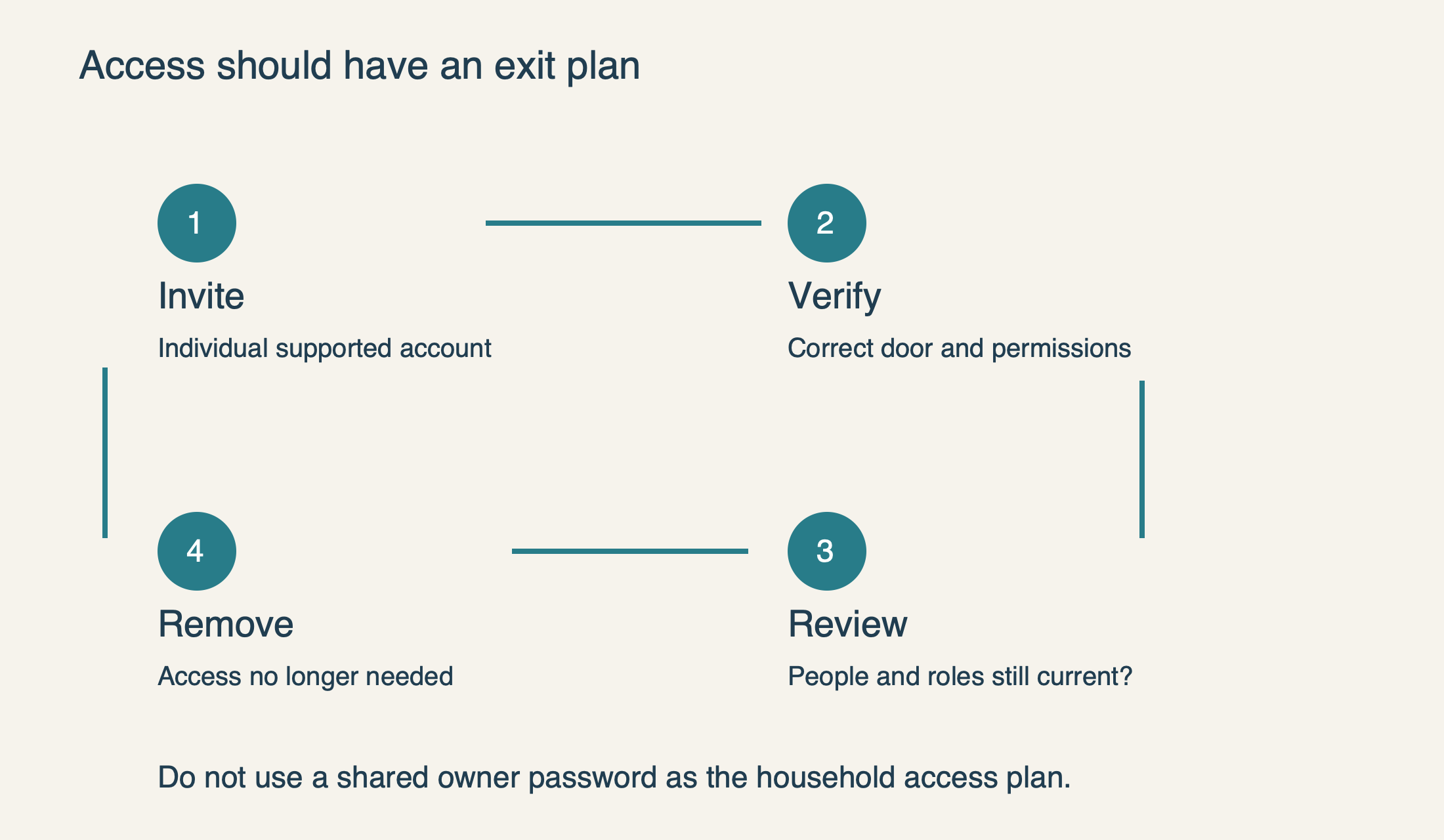
For shared access, ask whether each person can use an individual supported account or invitation, whether access can be limited to a particular device or period, and how it is removed. Do not choose a system on the assumption that everyone should share the owner’s password. A cleaner, visiting relative and co-owner do not necessarily need identical management privileges.
Distinguish door position, command history and video. A log that records a command is not the same kind of evidence as a live position reading or a camera view. Determine what the product actually reports and how it signals an offline or uncertain state. More notifications are not automatically better if they become so frequent that the household ignores them.
Consider who will administer the system. Someone needs to maintain recovery details, review invited users and understand what happens when the property changes hands. A feature-rich installation can be less useful than a simpler supported one if no one knows which account owns it. Keep that ownership record private and separate from publicly shared troubleshooting screenshots.
 Select the diagram to view it at full size.
Evaluate security and ongoing commitments without invented rankings
Read the manufacturer’s account-security and recovery guidance before granting access. myQ, for example, requires two-step verification and provides a two-step verification guide. The existence of that feature is useful, but it is not a basis for declaring one platform “unhackable” or assigning an unsupported security score. Use the supported protections available and avoid unofficial integrations that require handing garage credentials to an unknown service.
Compare hardware, required accessories and optional services separately. A free mobile application does not guarantee that all video storage, vehicle integration or future partner features are included. Check the current terms for the specific feature you intend to use and retain that information with the purchase record. We do not quote a stale monthly price as though it were a permanent product property.
Also inspect the support material itself. Can you find an identifiable model manual, a current compatibility document and a clear account-recovery route? A product page with contradictory generations or missing instructions deserves a question before purchase. That is a more useful warning sign than a small difference in app-store ratings, which may reflect many unrelated phones and installations.
Plan the failure case before enabling automation
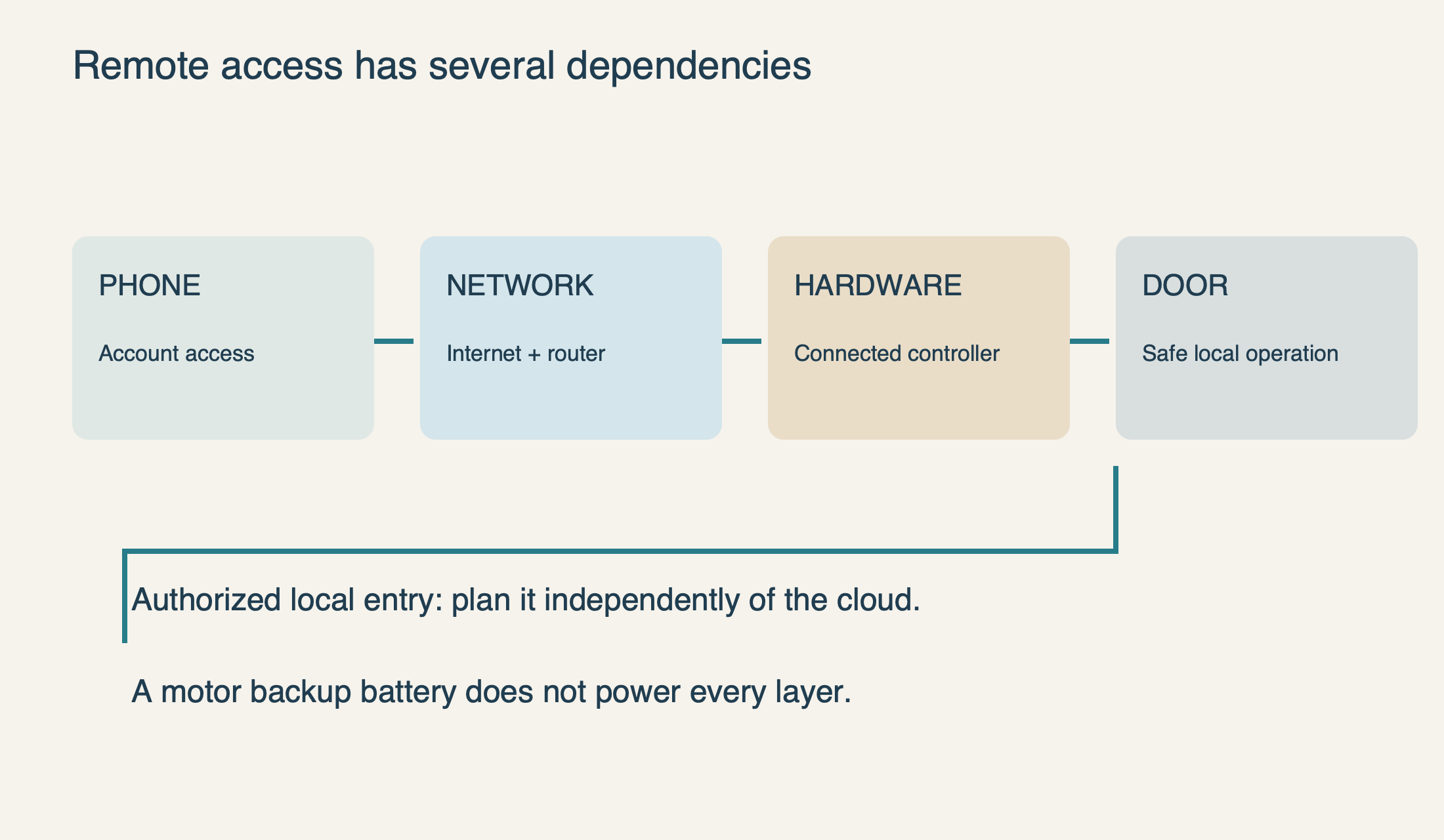
A cloud-controlled door depends on several systems: the phone and account, internet service, the home network, connected hardware and a functioning opener. If the app fails while local control works, the connected layer deserves investigation. If local control also produces abnormal movement, solve that physical fault before concentrating on the app.
Keep an authorized local way into the property. Bluetooth used during setup is not, by itself, a promise of normal offline door control. Neither is a motor backup battery proof that the router or cloud connection remains available. Check the exact product’s outage behavior instead of assuming that all “smart” functions survive together.
Test a new installation while observing the door from a clear position. Confirm the displayed position, intended door name, permitted commands and invited users. Respect remote-closing warnings and never bypass photoelectric protection to make an automation run. Add features in stages so that a problem after the last change has a clear starting point.
The best choice is therefore conditional: start with the supported ecosystem already in place; verify any retrofit against its own documentation; and select the access and integration features the household can actually maintain. If the underlying opener needs assessment, our opener repair service can help separate that hardware decision from the app comparison.
 Select the diagram to view it at full size.