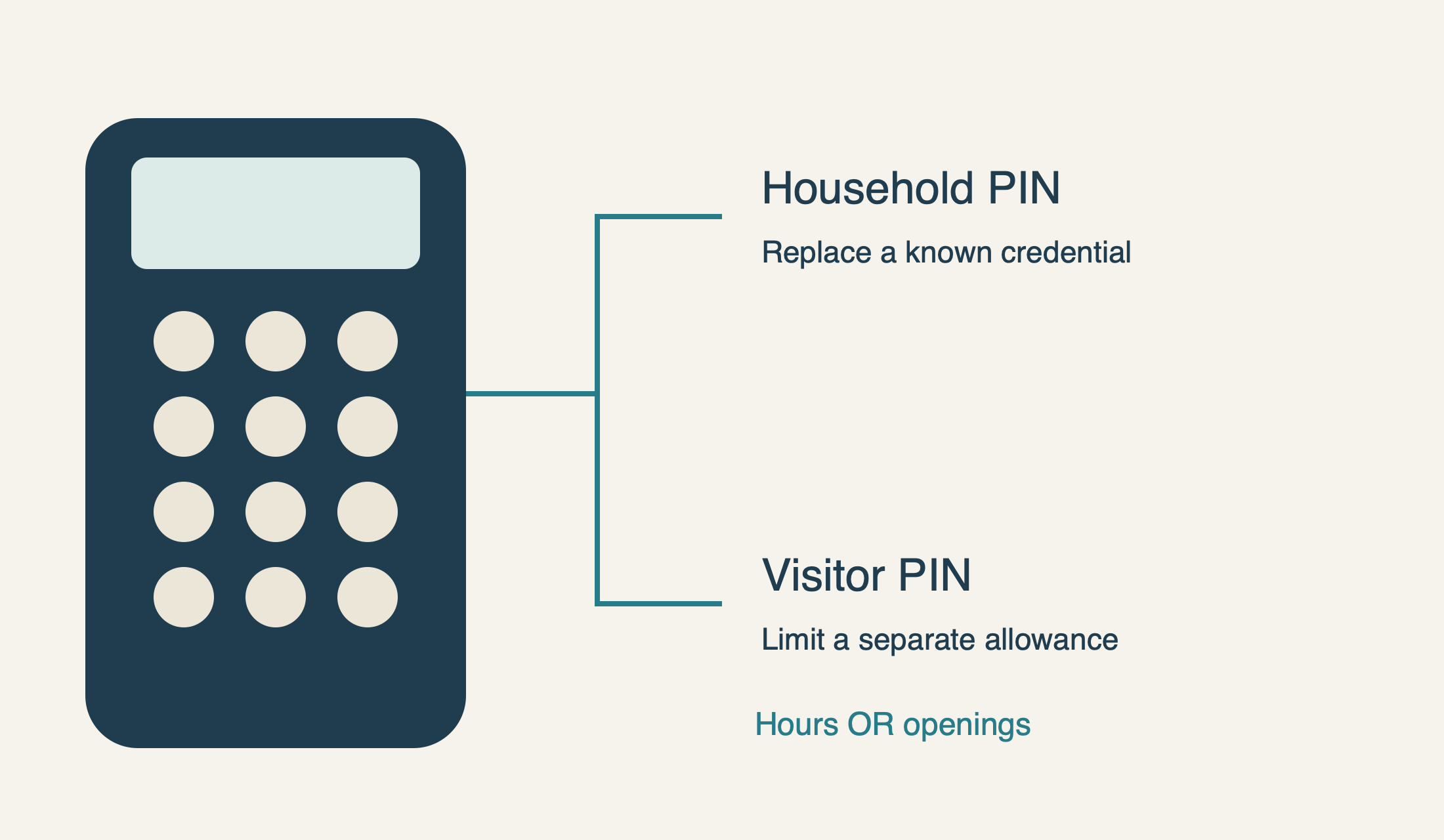
A permanent PIN change and a limited visitor PIN solve different access problems.
Use the PIN-change procedure for the exact LiftMaster keypad. Temporary access has model-specific time or opening limits, and an expired temporary code may still close the door on supported models.
Changing a LiftMaster keypad code should begin with a simple question: are you replacing the household PIN, creating temporary visitor access, or trying to remove every old way into the garage? Those are not the same task. A new four-digit keypad PIN does not automatically remove handheld remotes, vehicle buttons or app invitations.
This guide explains how to change a code on a LiftMaster keypad using the documented 877MAX example and the closely related models explicitly named in Chamberlain’s support instructions. It is for an owner or authorized administrator who knows the existing PIN. If the keypad is dark or unreliable, resolve that problem first; programming through a failing button can produce confusing results.
Read the keypad label, not just the opener logo
LiftMaster has made several keypad generations. Record the complete model on the keypad, including any suffix, and the opener or external receiver it controls. A plastic cover that resembles an 877MAX does not establish that its instructions apply. A myQ Video Keypad with app-managed access is also a different product from a conventional radio keypad.
For initial pairing to a LiftMaster 8500, the manufacturer also directs accessory programming through the 888LM or 889LM wall control, not the yellow Learn button on the motor unit. That is a separate issue from changing a known PIN, but it illustrates why the opener model matters. The 8500 and 8500W are not interchangeable names in programming instructions.
Change a known permanent PIN without resetting the whole opener
Before starting, keep the doorway clear and stay where you can see the complete door. Make sure you have another authorized entry method and tell the household that a controlled test may move the door. Choose the new PIN privately; do not copy a demonstration number from an article or put the code in a shared photo.
For the listed 940EV/877MAX families on the supported opener arrangement, enter the current programmed PIN. Hold the # key until the opener’s light flashes twice. Enter the new four-digit PIN, then press ENTER; the documented confirmation is one opener-light flash. Test the new PIN and ENTER from a safe observation position. This changes the known credential through the keypad rather than clearing the opener’s entire accessory memory.
If the expected confirmation does not occur, stop and check the model and procedure rather than immediately repeating everything. A lamp indication is part of this particular programming sequence, not a universal diagnostic code. A nonworking opener lamp can make feedback unclear even when the keypad is powered; do not use that uncertainty as a reason to hold the motor’s Learn button.
Allow the keypad to return to its normal idle state before evaluating whether an old code still works. The 877MAX manual describes a 15-second period after valid entry during which ENTER can operate the door. Testing too quickly can confuse an active command window with a PIN that was never changed. Keep the door in view throughout any confirmation test.
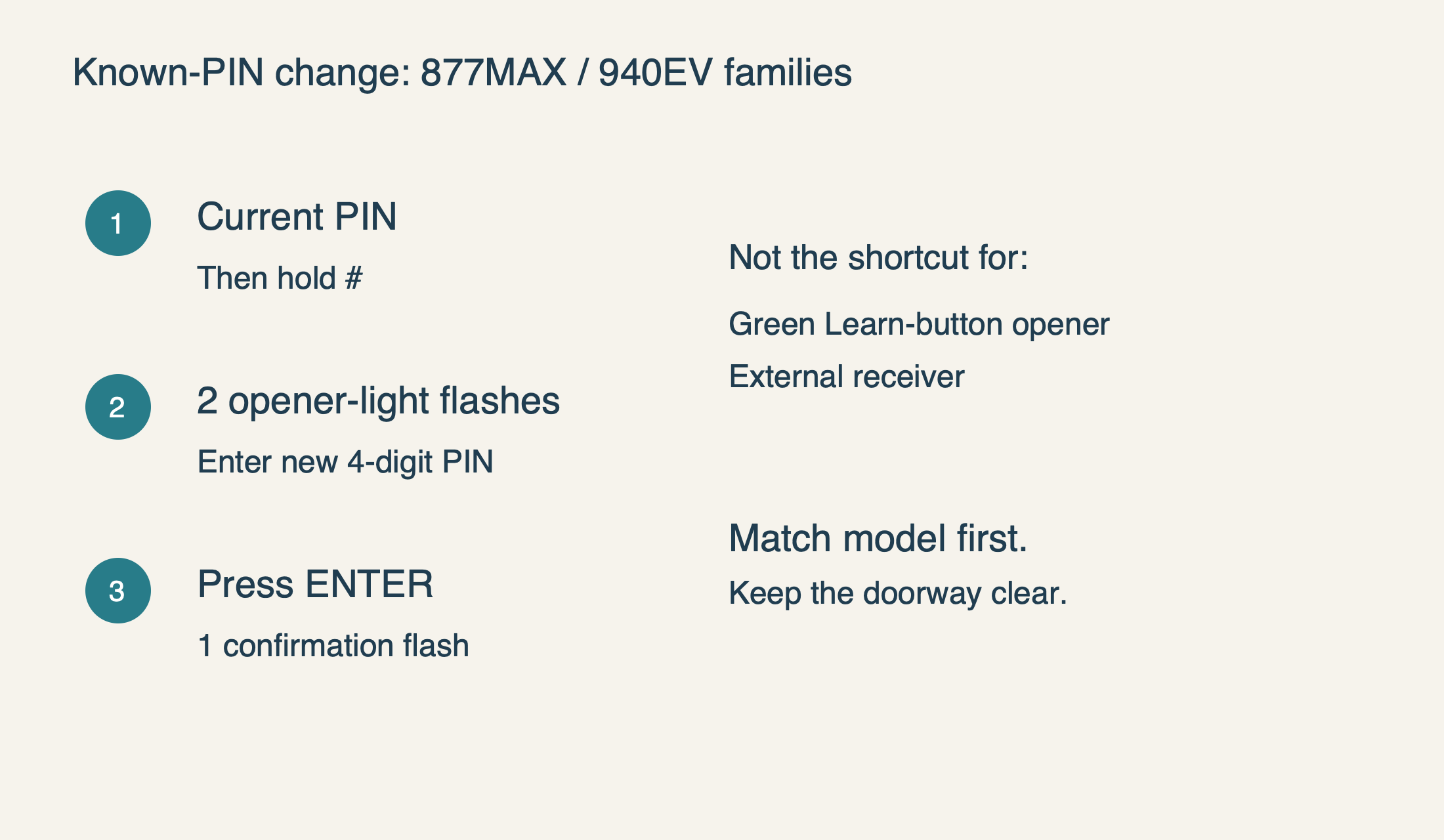 Select the diagram to view it at full size.
When a temporary PIN is the better choice
Chamberlain’s temporary-PIN guidance requires a supported Security+ or Security+ 2.0 opener and a compatible listed keypad. It excludes green Learn-button openers and external receivers. The presence of a keypad alone therefore does not prove that temporary access is available. If the installation is outside that scope, arrange another authorized access method instead of improvising an unsupported sequence.
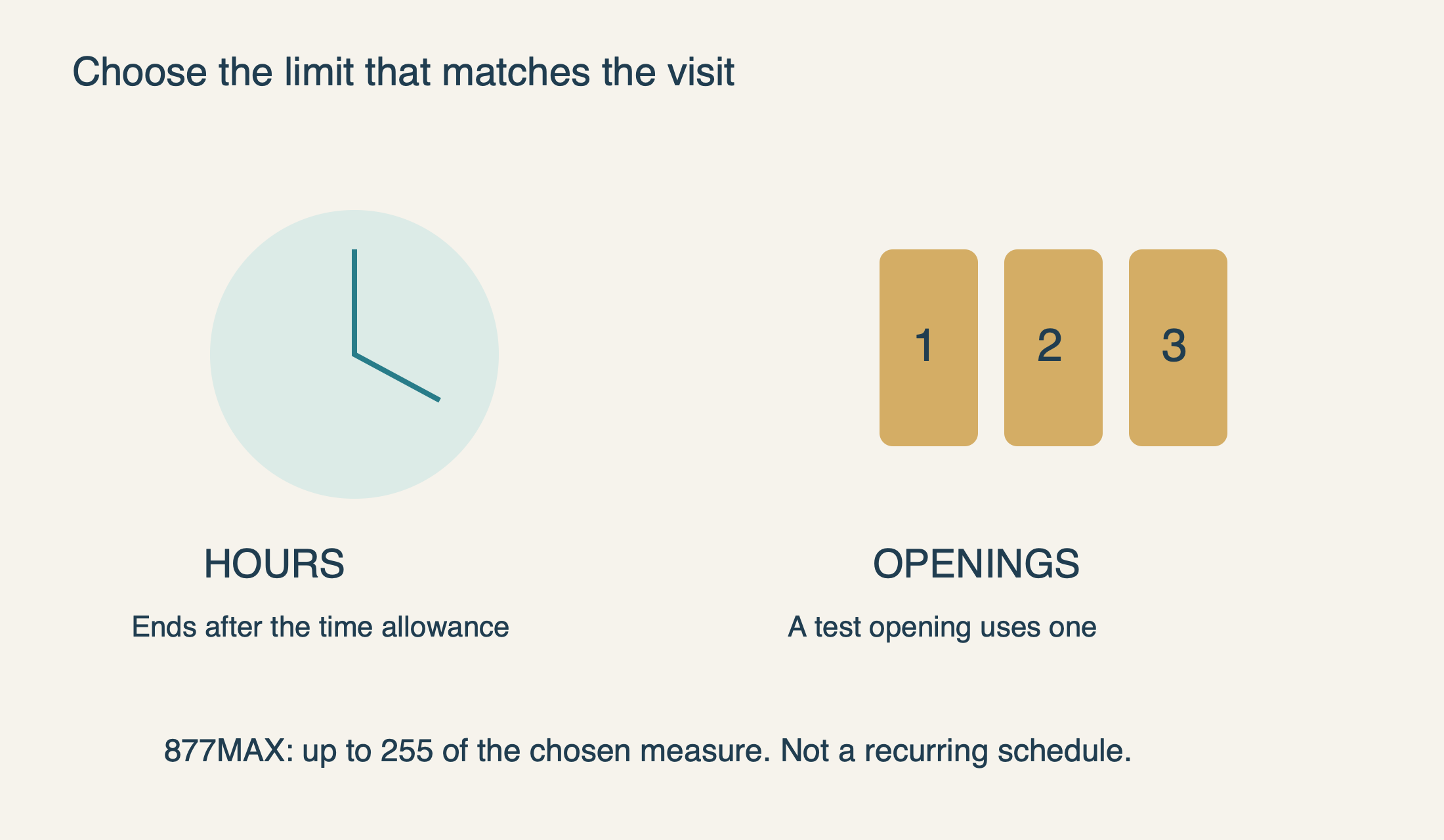
The 877MAX manual allows a temporary PIN limited either by hours or by number of openings, with a maximum of 255 for the selected measure. Those are different types of limit. A time allowance suits access that must end after a visit window; an opening allowance tracks how many permitted entries remain. Neither should be described as a recurring weekly schedule or a remote access-management dashboard.
 Select the diagram to view it at full size.
Set the documented 877MAX visitor allowance deliberately
For the 877MAX procedure, enter a programmed permanent PIN and hold the star key until the opener light flashes three times. Enter the new four-digit temporary PIN and press ENTER; the light flashes four times. Choose a temporary code different from previously programmed PINs. These instructions apply to the 877MAX arrangement described above, not every current LiftMaster keypad.
Then enter the intended allowance. Finish with the star key for hours, or the # key for openings. The manual documents one light flash as the confirmation. Keep the chosen unit with your private access note: “four” is ambiguous unless you know whether it meant hours or openings. Do not select a large allowance simply because you are uncertain which mode you used.
Test the temporary PIN while you can observe the door and respond safely. The 877MAX manual specifically warns that a test opening consumes one opening from a count-based allowance. For example, an allowance of two openings leaves one after a successful test opening. That is a planning consequence, not evidence that the keypad has lost a use.
Share the temporary code only with the intended person through a private channel. Tell them which door it controls, how to complete entry and that the moving door must remain visible. The access arrangement should not encourage a visitor to press buttons repeatedly or walk beneath a door before it has finished moving.
Expiration is not the same as complete revocation
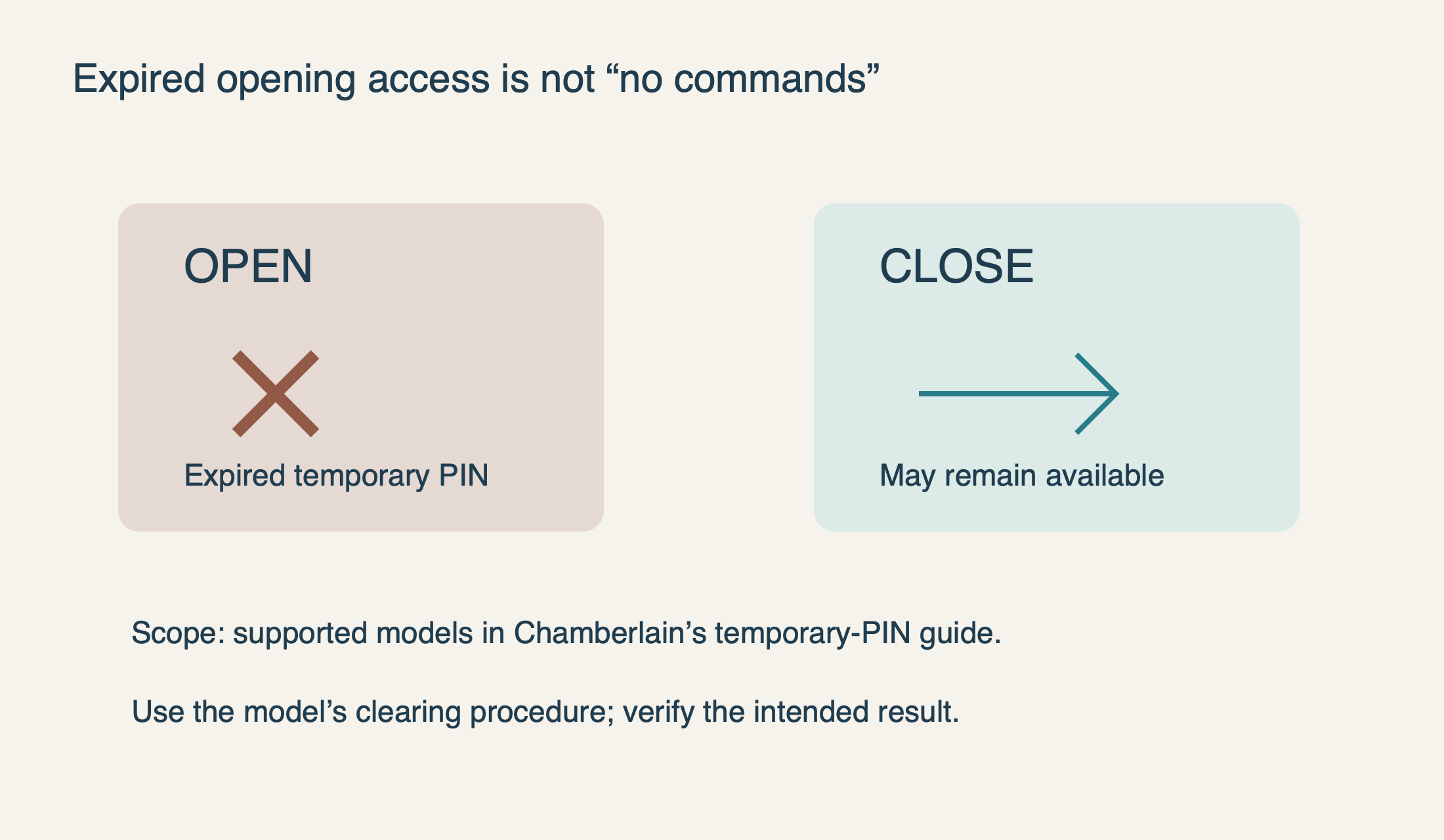
The most important limitation is easy to miss: the manufacturer states that an expired temporary PIN may still close the door even though it can no longer open it. A code that only closes the door is not necessarily a faulty keypad. Conversely, if your requirement is “this person must be unable to issue any door command,” waiting for the opening allowance to expire is not a sufficient verification.
The 877MAX manual provides a clearing procedure: repeat the temporary-PIN setup and set the hours or openings allowance to zero. Use that exact model procedure rather than assuming that changing the permanent PIN removes every temporary credential. After any access change, verify the intended result with the door visible and an alternate entry method available.
There is another separate behavior to recognize. The 877MAX manual describes an optional one-button closing feature, unavailable on pre-2006 openers or external receivers. A door that closes from ENTER alone therefore does not establish that an old PIN remains authorized to open it. Keep opening permission, temporary-code removal and optional closing behavior separate when assessing access.
 Select the diagram to view it at full size.
A change of occupants needs a wider access review
If you have just taken ownership or a household member no longer needs access, list the actual entry methods: keypad PINs, handheld remotes, programmed vehicle buttons, app users and physical keys. A keypad-only change addresses just one item. Arrange an authorized access reset appropriate to the opener if unknown remotes may remain; do not assume a new keypad code has cleared them.
Keep that wider review distinct from routine troubleshooting. Erasing all receiver memory can require re-enrolling several legitimate devices and may not affect app ownership in the same way. Before any full reset, know what will be removed and what must be restored. If you cannot identify the equipment or its current access methods, an opener technician can help document the system.
For a routine household code update, the best result is narrower: the intended new PIN works, the old entry is no longer usable as intended, temporary access is understood, and other authorized controls remain available. Record the date and purpose privately, but never post the actual PIN on the keypad or in a public maintenance log.
If the change does not behave as expected
First distinguish no keypad response from rejected input and from a door that receives a command but cannot travel safely. Those symptoms need different next steps. Our keypad-not-working guide covers battery, button and reception checks without turning every failure into a reset.
If a correct known-PIN change is not acknowledged, preserve the model numbers and exact observed behavior for support. Do not send the PIN itself. Stop testing if the door strains, reverses unexpectedly or shows loose cables or an uneven position. An access-code change should never become a reason to override the safety system or increase opener force.
Sources & manuals
Model-specific details are identified above.