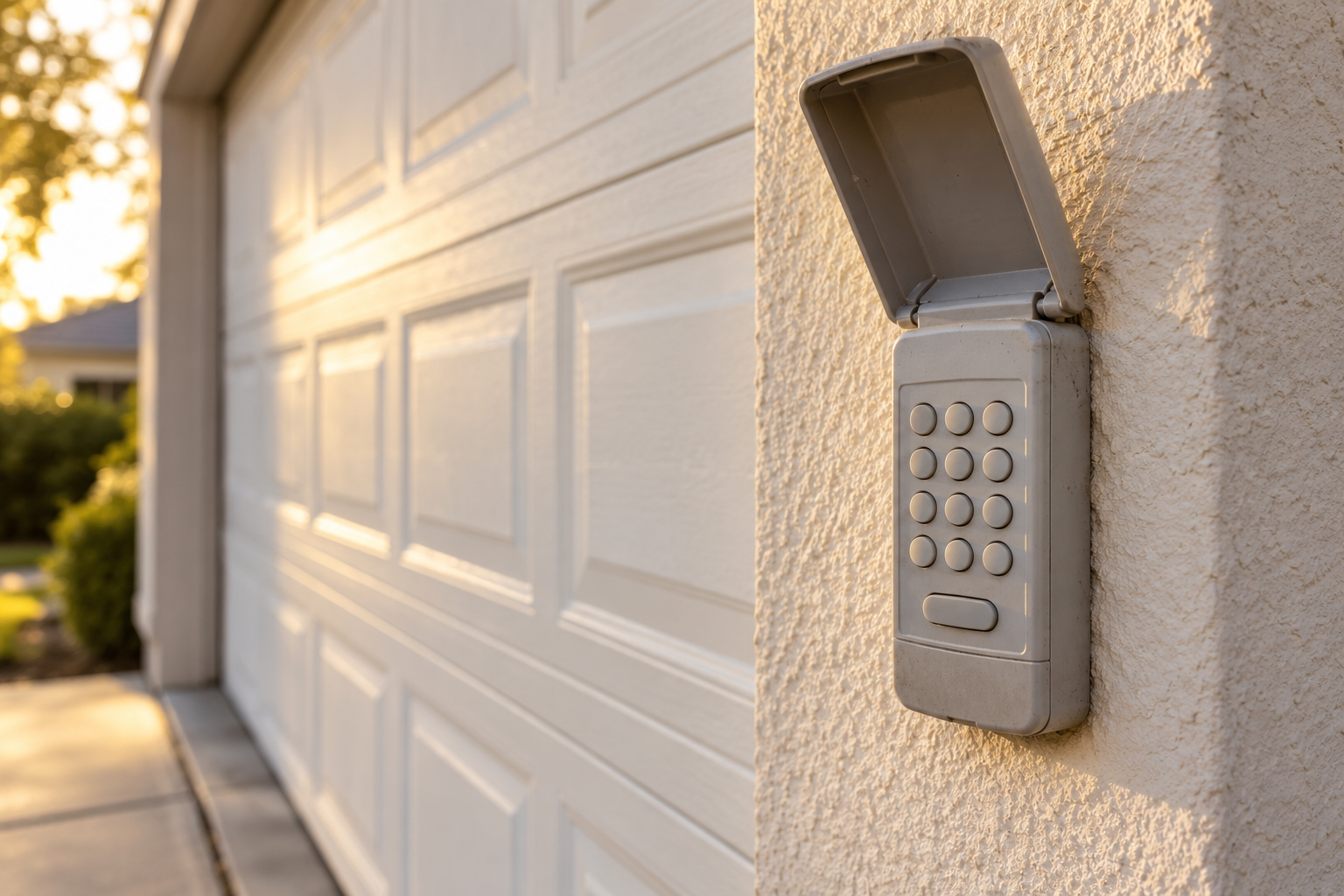
Identify the keypad before matching its battery and programming instructions.
Separate a keypad that does not wake up, a rejected PIN and a failed enrollment. Match the model and symptom before resetting it, and preserve working access while investigating.
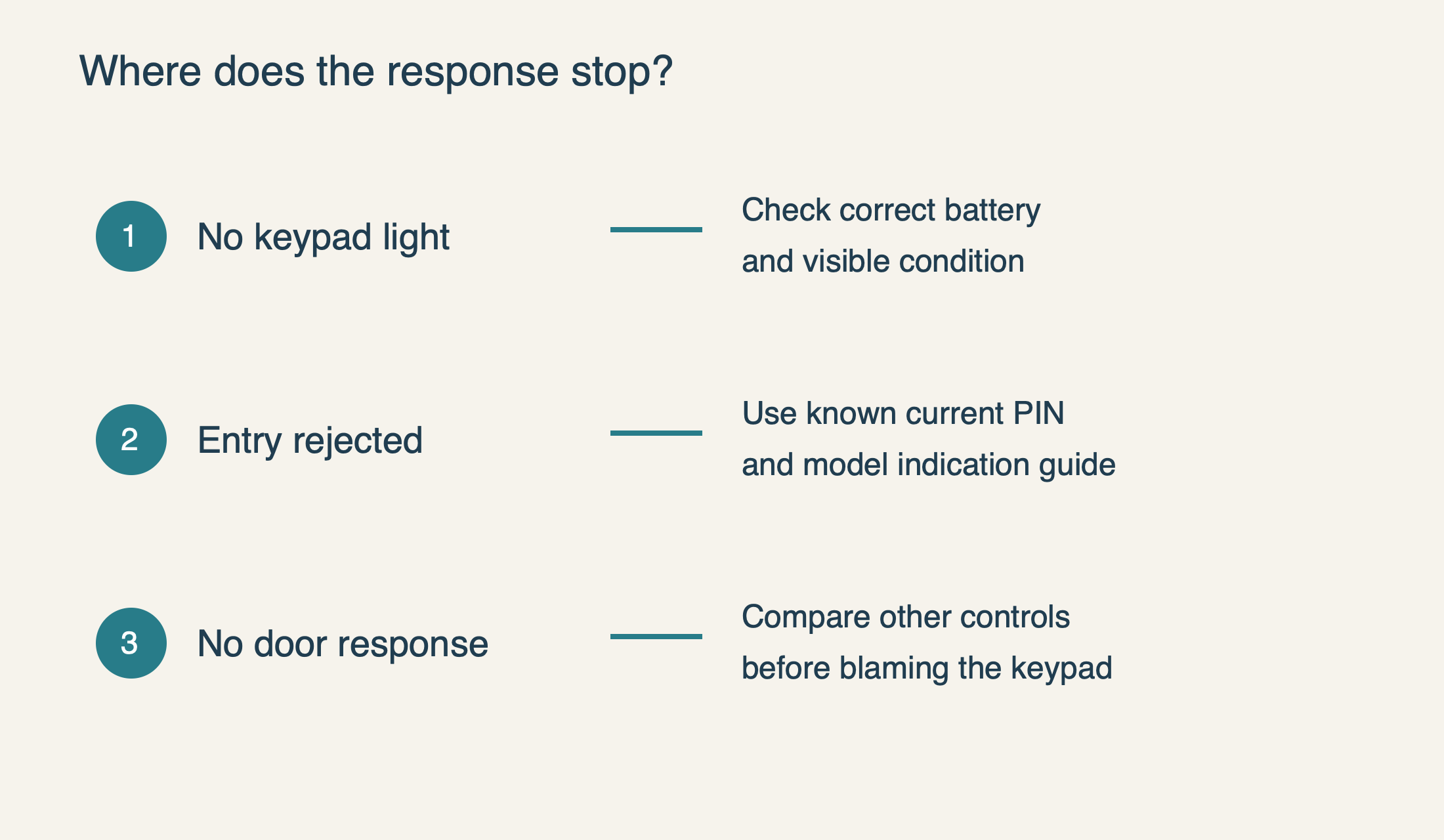
A garage door keypad not working can mean three very different things: the number pad stays dark, the keypad rejects the entry, or it appears to accept the PIN but the door does not respond. Start by identifying which event you are actually seeing. Replacing a battery makes sense for a dead controller; it will not renew an expired visitor PIN or correct a fault that also prevents the wall control from moving the door.
This guide is for an owner or authorized occupant troubleshooting an existing exterior keypad. It does not provide a way around an unknown owner’s code. Keep a separate authorized way into the property while testing, and do not erase the opener’s memory as the first experiment. That can turn one unreliable keypad into several unpaired household controls.
First establish what still operates normally
From a position with a clear view of the doorway, try a known working local control once, with people and vehicles out of the travel area. Record whether the wall control and a handheld remote operate the door normally. A working wired wall control confirms that the opener can respond to that control path; it does not prove that every wireless accessory is healthy.
 Select the diagram to view it at full size.
When the keypad is dark, identify its battery before opening it
Find the keypad’s own model label, usually on the back or in the battery compartment. The opener model is useful, but it is not the battery specification for every accessory paired to it. A replacement keypad may come from a different manufacturer or product generation. Photograph the label for your records without including the access code.
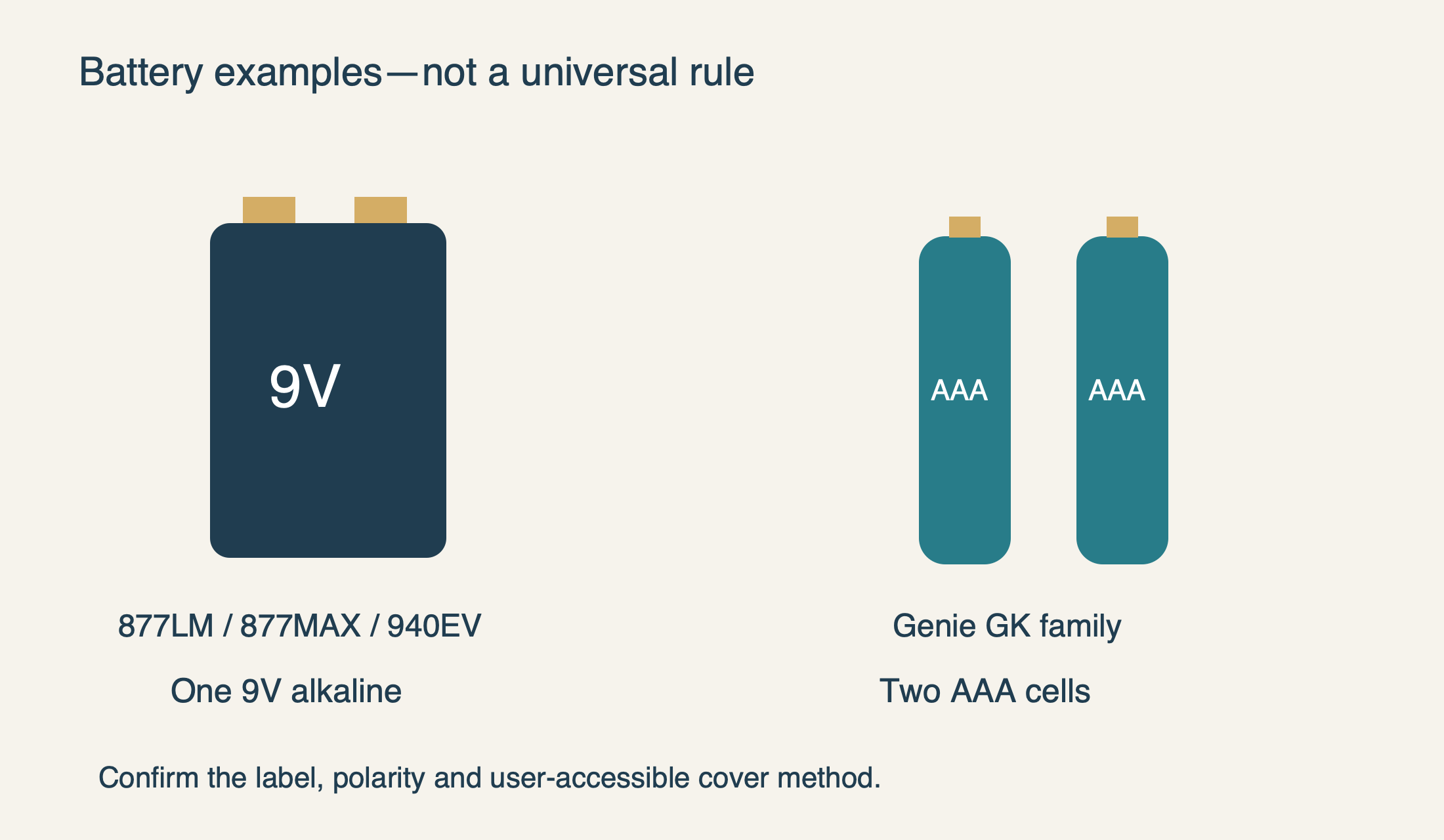
The manufacturer’s battery guide specifies a 9V alkaline battery for models including 877LM, 877MAX and 940EV. Genie’s GK, GK-R and GK-BX family instead uses two AAA batteries. These concrete examples are why “all garage keypads take a 9V” is poor advice. Video keypads and other connected access products may have an entirely different power arrangement.
Open only the user-accessible battery compartment by the method for that model. Some covers slide, some release through a small cutout, and some use a retaining screw. Do not pry the whole weather-resistant housing apart because the cover does not immediately move. Fit the specified fresh battery or matched fresh cells, following the polarity markings, then secure the cover.
Look for a damaged cover, loose battery connector or obvious leakage while the compartment is open. A broken contact is not repaired by wedging foil behind the battery. If the contacts are damaged or corroded, stop and arrange replacement or manufacturer guidance rather than scraping, bending or spraying the electronics. A fresh battery should be a controlled check, not the beginning of an improvised electrical repair.
 Select the diagram to view it at full size.
If it stopped working after the battery change
For a garage door keypad not working after changing battery, retrace the change before resetting anything. Verify the battery type, polarity, connector seating and cover fit. Check that packaging or a protective tab is not preventing contact. Note whether the keypad now illuminates at all and whether each normal key press produces its expected local response.
Battery removal does not universally erase programming. Genie’s GK documentation expressly says programming is retained during replacement. If that keypad fails immediately afterward, do not conclude that a reset is mandatory. The useful first question is whether the power replacement restored a normal keypad response; pairing becomes a later question if correct power and ordinary entry still fail.
A lighted keypad also does not prove the battery and transmitter are perfect under all conditions. Compare the behavior after the correct fresh battery, rather than judging an old cell only by whether it can illuminate a small LED. If the failure remains identical, preserve that observation and move to input recognition or communication instead of repeatedly changing batteries.
A rejected entry is different from an ignored radio command
Enter the known current PIN deliberately, once, using the normal completion key for that model. Avoid overlapping guesses or rapidly repeating the last digit. Check privately whether another household member recently changed the code. Do not share the PIN in a public support post, a photo of your notes or a recorded troubleshooting video.
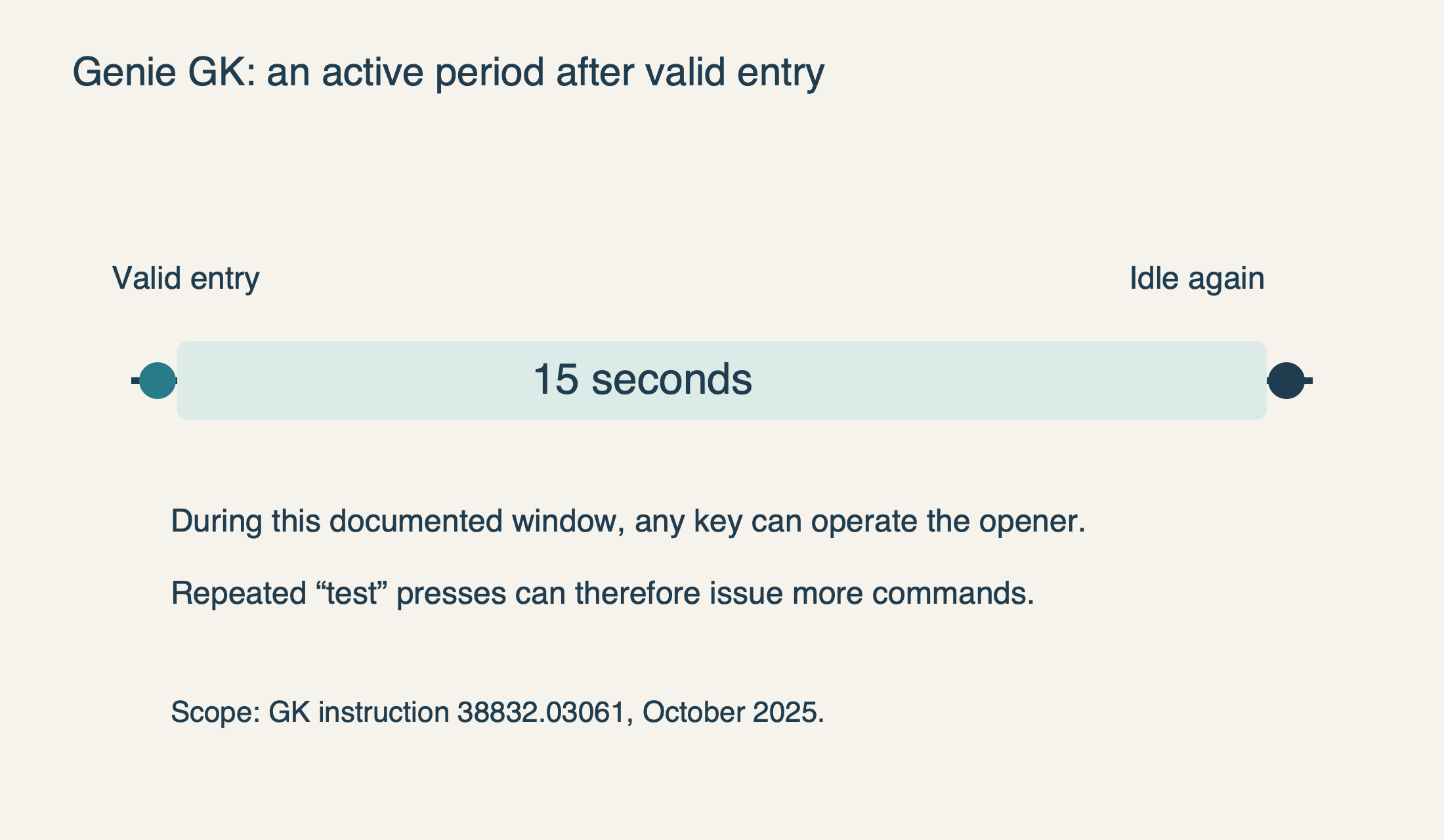
The Genie GK instructions 38832.03061 dated October 2025 distinguish accepted entry from a rapid failed-entry indication. They tell the user to wait 15 seconds for the backlight to go out before trying a valid entry again. That is a documented GK behavior, not a cross-brand blink-code chart. A different keypad needs its own indication guide.
A physical key that responds inconsistently can make an otherwise correct code fail. Observe whether the trouble seems tied to one digit without pressing so hard that the housing flexes. Chamberlain lists a nonfunctioning keypad button as a possible cause and describes checking with a different authorized PIN. Make that change only through the correct procedure when you have reliable alternate access; do not convert random code guesses into a diagnostic method.
If the keypad normally accepts the entry but the opener gives no response, record whether the handheld remote still works from its ordinary location. That comparison helps distinguish an individual keypad problem from a broader reception issue. It does not identify a failed circuit board by itself, and a replacement receiver should not be the first purchase based solely on a blinking keypad.
Intermittent behavior: look for a repeatable condition
When a garage door keypad works intermittently, write down what changes between success and failure. Useful distinctions include one troublesome digit, failure only after rain, a recently cracked cover, or a problem that began when nearby electrical equipment changed. “Sometimes it works” is much less useful than “the remote remains normal, but the keypad’s light does not respond after rain.”
Mounting location can matter. Chamberlain identifies the supporting surface as a possible source of interference. Rather than drilling new holes or relocating the keypad immediately, give the installer that history and the mounting material. A safe assessment should preserve the required view of the door and placement away from moving parts; improved reception is not a reason to hide a keypad around a blind corner.
Also distinguish intentional active-window behavior from a stuck button. The documented Genie GK remains active for 15 seconds after successful entry, during which any key can operate the opener. Repeatedly pressing keys to check whether the backlight works can therefore issue more commands. Finish one observed test and let the keypad return to its idle state before drawing conclusions.
 Select the diagram to view it at full size.
Closing but not opening can be a credential issue
For the supported Chamberlain and LiftMaster keypads in the manufacturer’s temporary-PIN guide, an expired temporary PIN can stop opening the door while retaining the ability to close it. That asymmetry can look like a strange hardware fault if a visitor has been using a limited code. Check with the authorized owner before replacing batteries or changing the opener.
The permanent household PIN and a temporary visitor PIN serve different purposes. If the owner’s current code works and the visitor’s code does not, investigate the access setting rather than assuming the radio has failed. Our PIN and temporary-access guide explains that distinction for its named models. It does not make every keypad’s expiration rules identical.
When to reprogram, replace or call for assessment
Reprogramming is reasonable after the correct power and entry checks, when the exact keypad and opener are compatible and the manufacturer’s instructions point to pairing. Use the complete model suffix and the correct guide. A longer press on Learn is not a stronger pairing attempt; on many products it starts erasing existing access. Keep programming separate from a whole-system reset.
Replacement becomes more persuasive when the keypad has visible weather damage, an unreliable key or a failed battery contact, while the rest of the system remains dependable. Check compatibility before purchasing. A product that looks identical can use a different radio generation, and “universal” still requires a documented match.
For service, provide the keypad and opener model numbers, what the wall control and remote do, the exact battery fitted, and the change that preceded the fault. Keep the PIN private. Those observations let an opener technician assess the failed part without unnecessary resets—and without mistaking an access problem for a door that is unsafe to move.
Sources & manuals
Model-specific details are identified above.