Read beeps together with the model, indicator lights and door activity. Battery warnings, timed-closing alerts and setup sounds can differ; there is no universal beep-code chart.
A garage door opener beeping does not always mean something has failed. The sound can announce battery operation, warn that a remote closing command is about to move the door, or confirm a network setup action. It can also come from a different device nearby. The useful diagnosis combines three observations: which device sounds, when it sounds and what the correct status indicator shows.
Find the sounding device before counting beeps
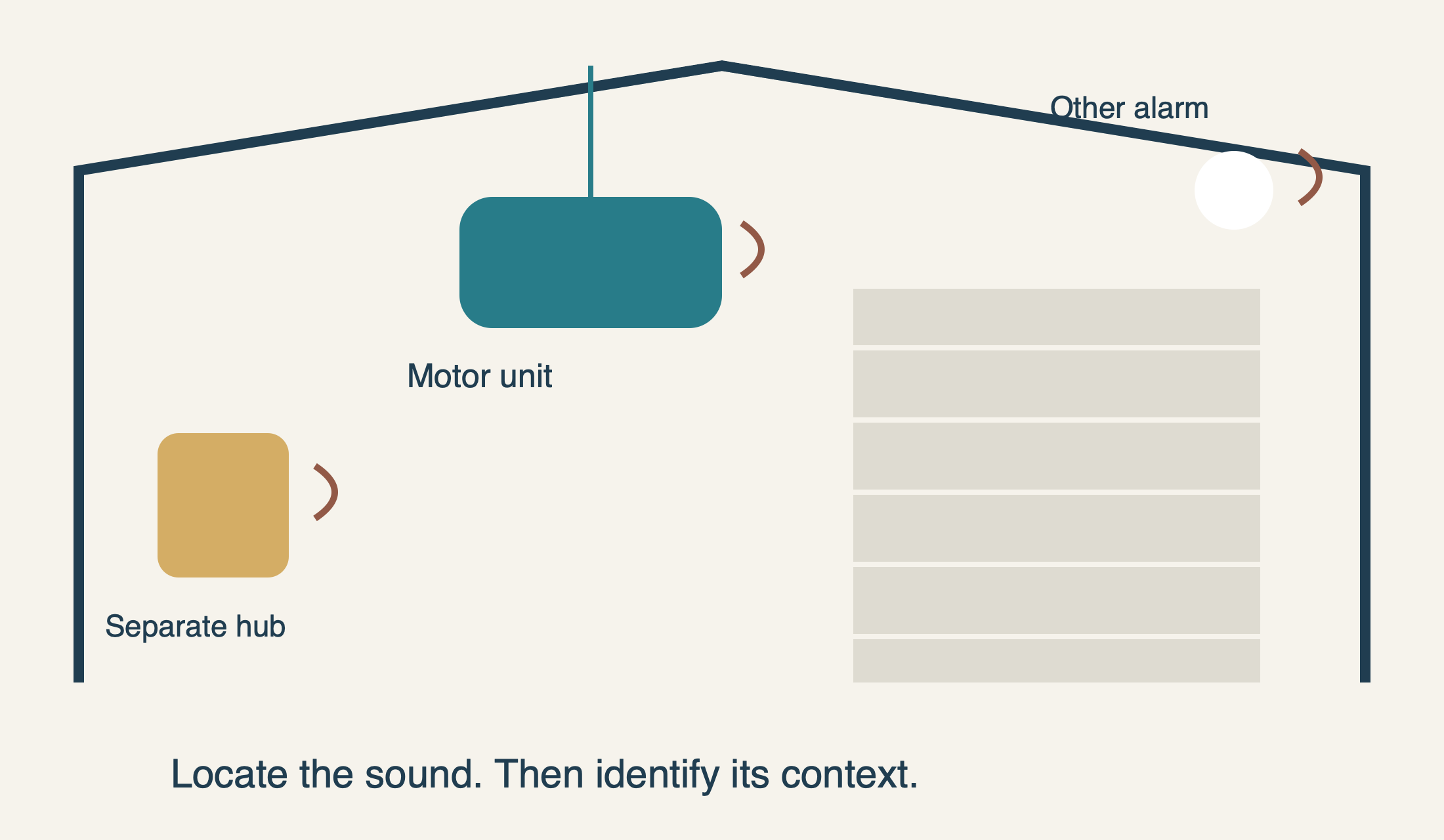
Garages can contain several devices with audible alerts: the motor unit, a separate smart hub, a wall control and household safety equipment. Listen from a safe floor-level position rather than reaching toward the ceiling or moving door. Record a short clip if it helps distinguish the source and cadence; keep household access information out of the recording.
Check whether the opener even has a backup battery. Chamberlain’s support guide notes that 888LM/889LM controls or a separate myQ product can be the source on an installation without motor backup. It also warns that nearby smoke or carbon-monoxide alarms and other equipment may beep. Do not remove or disable a safety alarm to make garage troubleshooting easier; follow that device’s warning instructions if it is the source.
Next, note whether the sound occurs while the system is idle, only during movement, immediately before an app-initiated close, or while someone is configuring Wi-Fi. A regular idle alert every half-minute and a warning immediately before closing are different observations, even if both are described casually as “constant beeping.”
On documented battery-backup models, read timing and LED together
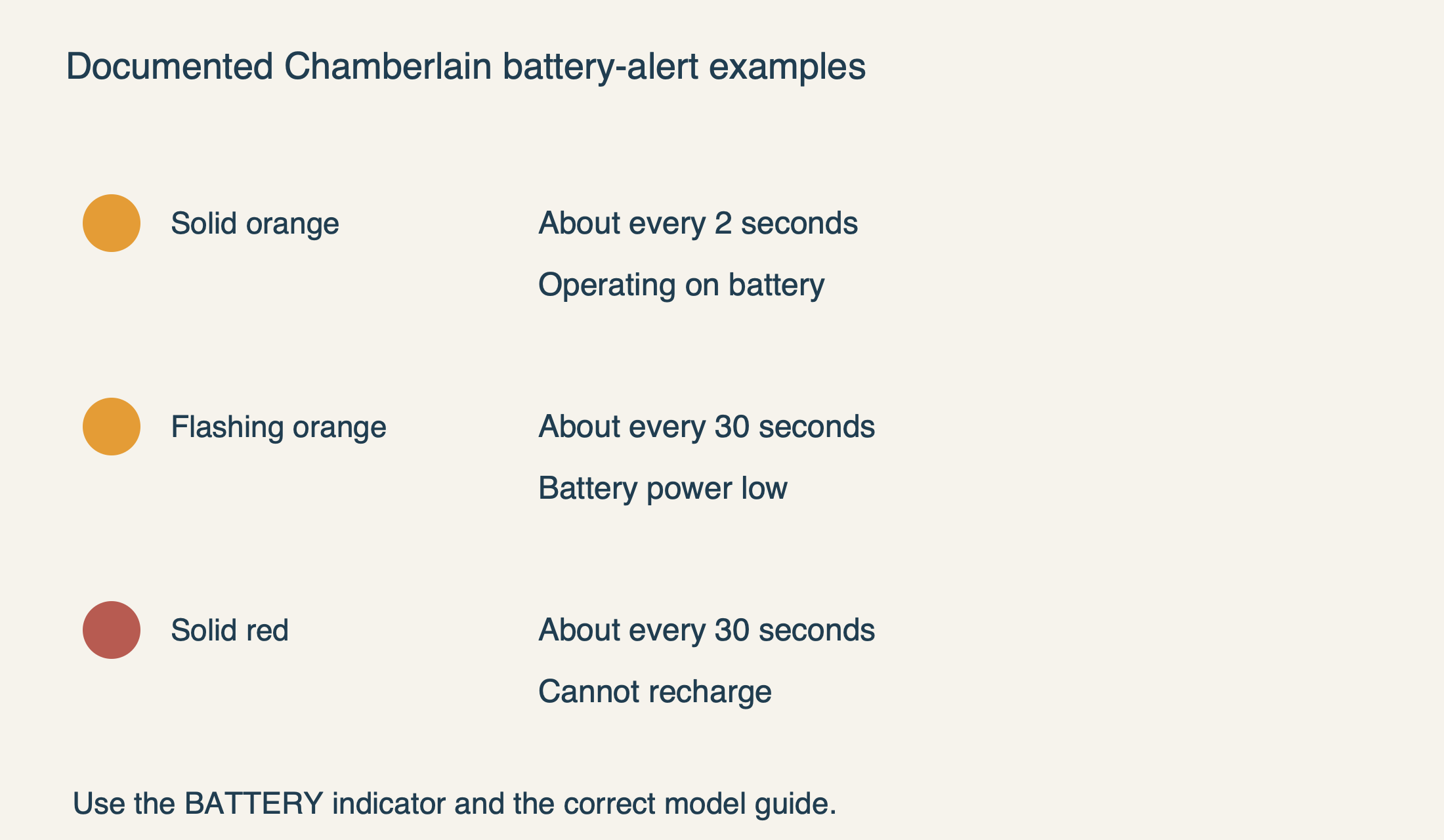
The manufacturer’s battery-backup guidance pairs approximately two-second beeps with a solid orange battery indicator during battery-powered operation. This points first to the normal AC supply being absent, not automatically to a defective replacement battery. A door may still operate because the backup is doing its job.
The same family uses approximately 30-second beeps with a flashing orange battery indicator for low battery power. A solid red battery indicator with that alert, especially when normal supply is available, is documented as a battery that cannot recharge. Those are different conditions: a depleted backup following an outage and a battery requiring replacement should not be collapsed into one “orange means replace it” rule.
The battery-status guide identifies flashing green as charging and solid green as fully charged. These colors belong to the battery indicator. They are not interpretations of the safety-sensor lights near the floor, a remote-control LED or an arbitrary light on the motor housing. Find the indicator’s label or diagram for your model before using the example.
 Select the diagram to view it at full size.
Confirm the power situation without opening electrical equipment
Ask whether there was a household outage, a tripped protective device or a recently unplugged opener. A garage light working does not prove the opener’s particular receptacle has power. Conversely, an operating backup can hide the loss of normal supply until its capacity falls and the alert changes.
If the opener uses an accessible, dry, undamaged standard receptacle and you can reach it safely, the manufacturer suggests checking it with another known working device. Do not open a receptacle, remove a hardwired connection cover or use improvised test leads. If the outlet is wet, scorched, loose or otherwise suspect, leave it alone and obtain qualified electrical help.
Once normal supply returns, observe the documented charging indicator rather than demanding an instant full-charge signal. The exact charging time and battery part depend on the opener and backup system. Our backup-battery guide separates part selection, charging and safe replacement boundaries. A battery purchase should follow identification, not just an online description of a similar beep.
If the alert persists despite a confirmed power supply and the correct battery procedure, record that combination for service. It may require assessment beyond the replaceable battery. Do not keep cycling power in the hope that repeated restarts will turn a persistent condition into a healthy one.
Do not confuse a Wi-Fi light with a battery light
An opener can have more than one status system. Chamberlain’s indicator guide describes separate battery and Wi-Fi LEDs, with different locations and meanings on the pictured products. A green network indicator may show a server connection, while a green battery indicator reports a charging state. “The green light is on” is therefore an incomplete report.
Identify what someone was doing when the sound began. If it followed router replacement, an app setup attempt or deliberate entry into Wi-Fi mode, use the connection instructions rather than a battery chart. In the documented Wi-Fi sequence, three slow beeps confirm network connection, whereas three fast beeps confirm erased Wi-Fi settings. Similar counts do not imply the same action when timing and mode differ.
Do not press a Learn or adjustment button merely to reproduce a noise for diagnosis. Depending on the model and duration, that can enter a different setup process or erase stored information. Preserve the current state and follow our myQ setup and troubleshooting guide if the evidence points to the network layer.
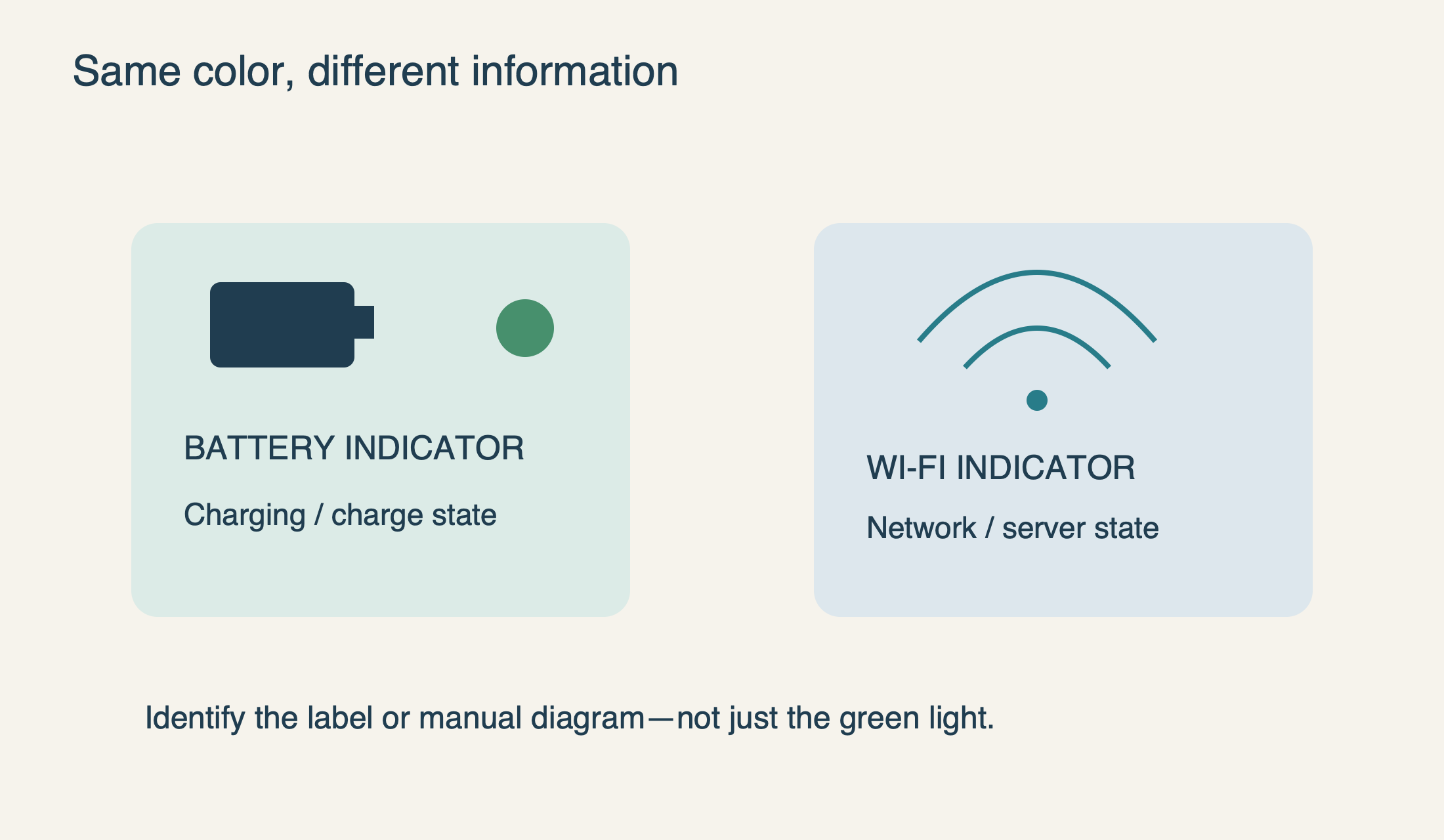 Select the diagram to view it at full size.
A remote-closing warning is intentional
When a myQ Garage, Smart Garage Hub or Smart Garage Control closes a door through the app, its light-and-sound warning tells people nearby that movement is about to occur. The manufacturer identifies that behavior as normal. It is not the same as the quiet, immediate response a person may expect from a local wall button.
Chamberlain’s Security+ 2.0 guidance also describes an eight-second warning before a Timer-to-Close operation, continuing during closing. Apply that timing only to the documented feature and model family; do not use it to interpret every beeping opener. The relevant observation is that the warning accompanies an intended closing operation.
Leave the warning functional. The Smart Garage Hub FAQ states that its audible and visual closing alert cannot be disabled. Do not cover a sounder, disconnect it or defeat safety sensors because the warning is inconvenient. If unattended closing is not suitable for the household, change how the supported feature is used rather than trying to remove its safety notification.
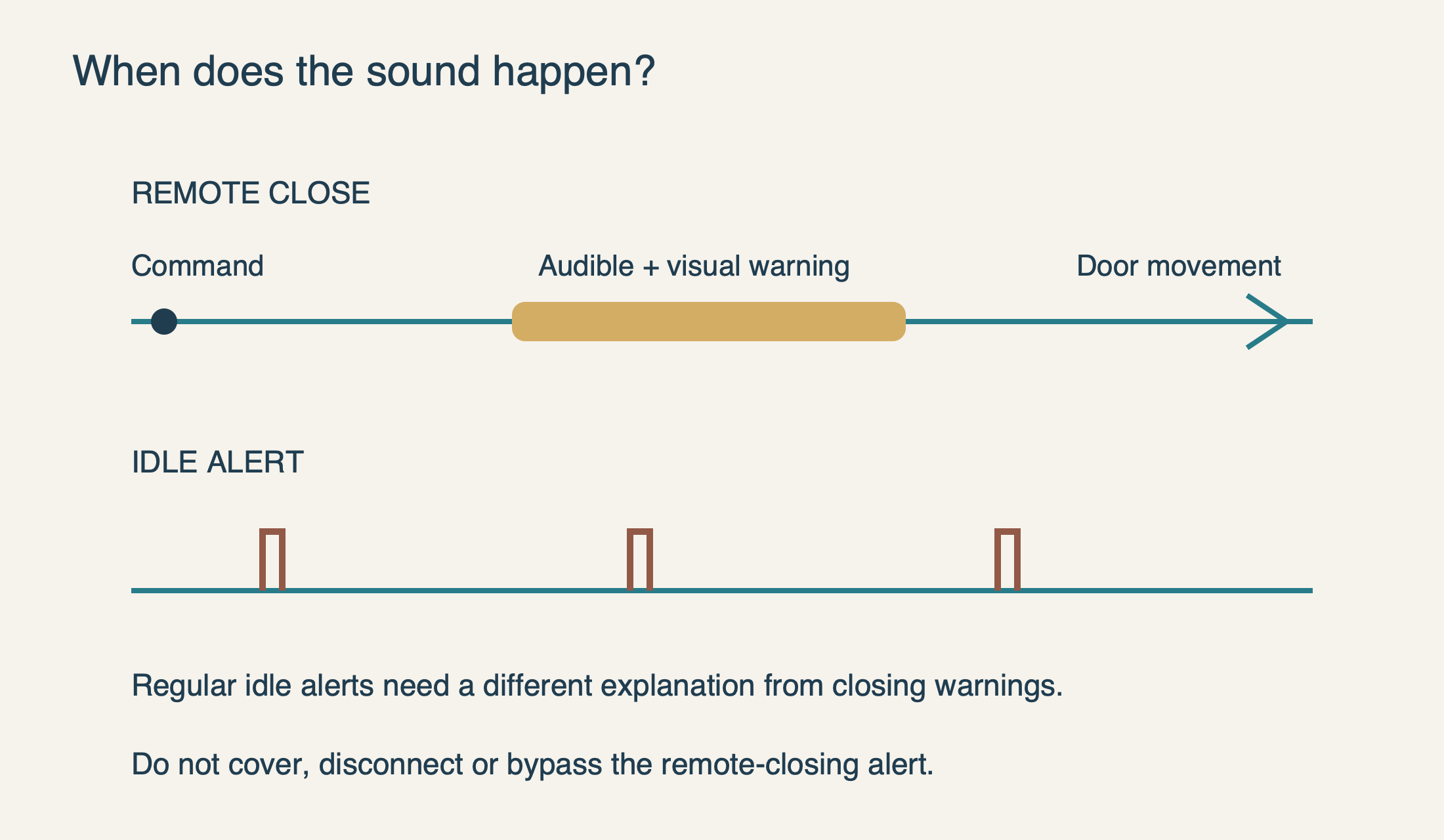 Select the diagram to view it at full size.
If the hub keeps warning but the door does not complete the command
A separate myQ hub relies on a door-mounted position sensor to report movement and position. The manufacturer notes that a sensor that has fallen off, or an opener whose memory was recently cleared, can interrupt that expected sequence. A repeated sound with no completed movement therefore calls for observation, not another remote close command from out of sight.
Go to the garage and inspect the situation from a safe position. Is the door-mounted sensor visibly still attached where its instructions require? Did the problem start after a logic-board replacement or access reset? Is the door stationary while the opener can be heard running? Record those details without reaching onto a moving panel or attempting to reconnect a suspect open door.
If the physical door moves normally from a local control but its app position remains wrong, the connected sensor or pairing path deserves attention. If the motor runs without normal door movement, or the door is visibly uneven or damaged, stop using the opener and arrange assessment. The smart hub cannot correct a disconnected drive or mechanical failure by repeating a command.
Make the next action fit the observation
A useful service note says more than “the garage beeps.” Include the opener model, whether a separate hub is fitted, the approximate interval, the identity and state of the indicator, and whether AC power is present. Add whether the sound is idle, setup-related or tied to closing. That lets support select the right documentation instead of guessing from a color alone.
For normal battery operation during an outage, conserve unnecessary door cycles and restore the ordinary supply safely. For a documented nonrecharging-battery alert, identify the correct replacement and procedure. For intentional remote-closing warnings, keep the warning intact. For irregular movement, overheating, damaged electrical equipment or an unidentified safety alarm, stop the relevant troubleshooting and obtain appropriate help.
Our opener repair service can assess persistent opener faults, but a beep by itself is not a diagnosis or a reason to replace the whole unit. The goal is to understand what the system is reporting—and leave both the door’s protection and the household’s access working properly.
Sources & manuals
Model-specific details are identified above.