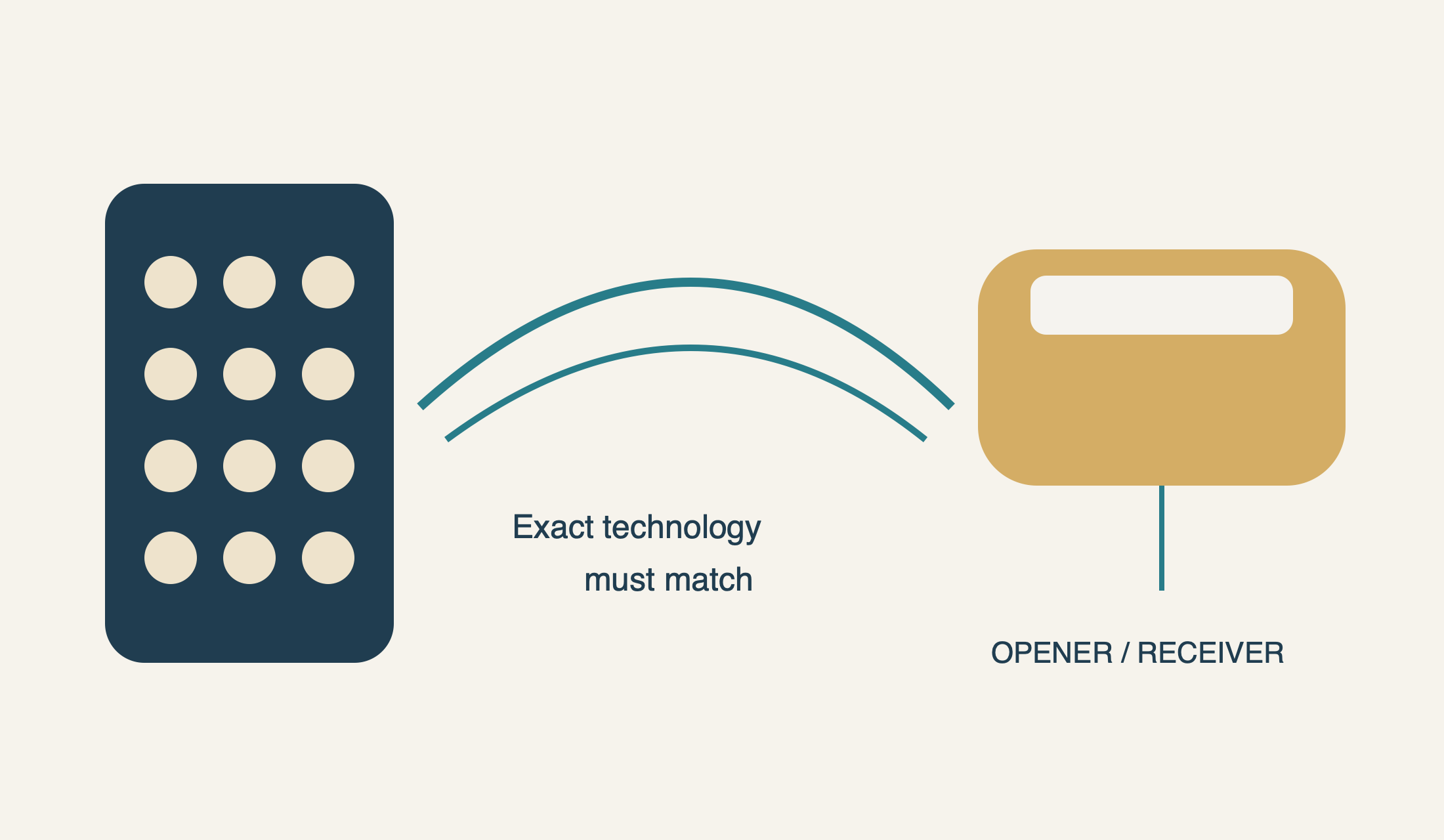
Compatibility is a match between exact devices—not between logos alone.
A keypad must support the opener’s actual radio system and generation. Brand names and similar cases are not enough; check the compatibility chart for the exact keypad and receiver.
Does a Chamberlain keypad work with a LiftMaster opener? Sometimes—but the brand names are not enough to answer. The exact keypad must support the opener’s radio technology and the features you need. A familiar-looking replacement can be incompatible even though both packages use names from the same manufacturer group.
The same caution answers “will a Genie keypad work with LiftMaster?” A Genie Universal keypad and a Genie GK Intellicode keypad are different product categories. One may list the relevant LiftMaster generation; the other should not be treated as a cross-brand device merely because it has a similar flip-up cover. Establish the documented match before buying, drilling or repeatedly attempting programming.
The compatibility record starts at the opener
For LiftMaster, the manufacturer’s current compatibility tool and chart use the Learn-button color to help identify a suitable accessory. Read the actual button, not the color of a nearby LED or the wall-control backlight. Photograph a safely accessible label if necessary; do not climb on the door, reach across moving parts or remove an electrical cover to obtain a color.
Treat the opener model, receiver and Learn-button information as a set. If they do not agree with the chart, resolve the discrepancy with support. The result you want is a manufacturer-supported combination, not a guess that an opener “looks about ten years old.” Replacement electronics and unusually configured installations make appearance an especially weak guide.
Two LiftMaster examples show why generations matter
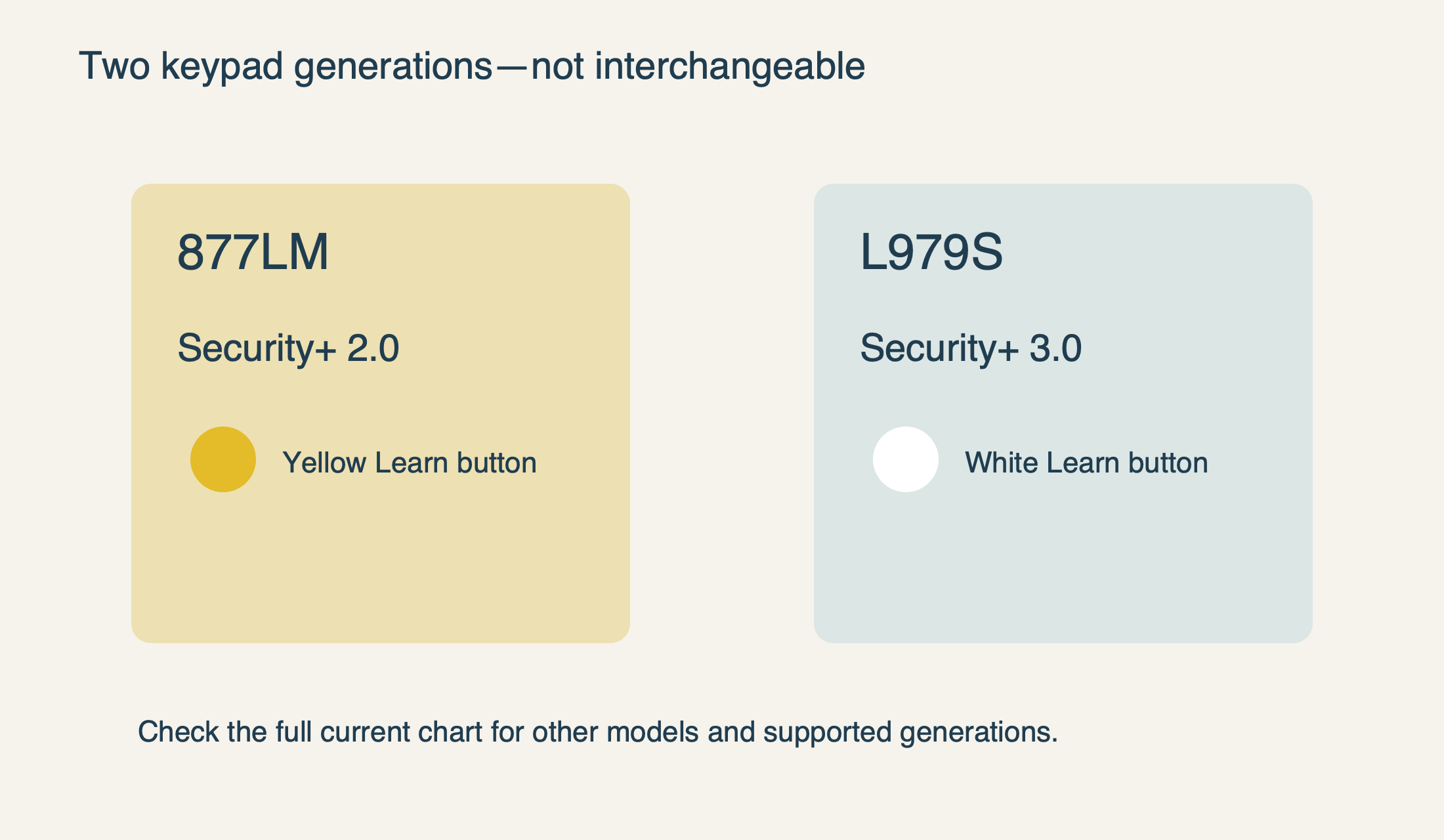
The older 877LM is documented specifically for Security+ 2.0 equipment with a yellow Learn button. The 877MAX supports a broader set of older LiftMaster/Chamberlain technologies, but it is not permission to assume compatibility with every later product. The manufacturer’s older comparison article uses broad “1993 forward” wording; the current compatibility chart must also be consulted when evaluating a newer opener.
The distinction between standard, MAX and universal versions also matters. The current chart lists L979M and L979U under yellow-button equipment as well as the newer white-button group, while L979S is listed in the white-button group. Check the exact current model rather than treating the letter at the end as cosmetic. This guide does not extend that example to unnamed keypad families.
 Select the diagram to view it at full size.
A Chamberlain-to-LiftMaster match can be legitimate—but specific
Cross-brand compatibility within the Chamberlain/LiftMaster family is common enough that it is worth checking rather than rejecting by logo. The manufacturer’s 940EV/877MAX programming support, for example, identifies several receiver technologies and their corresponding setup selections. That does not mean every Chamberlain keypad can be paired to every LiftMaster motor.
Before purchase, find the proposed keypad’s official compatibility entry and locate your opener technology in it. Verify the full suffix on the product being sold. A retailer’s shortened title may omit a revision or group several related products under one listing; use the actual package label and instructions as the final identity check.
If your keypad has already worked reliably with the same unchanged opener, a sudden failure is more likely to call for troubleshooting than a new compatibility investigation. Review batteries, damaged keys and reception through our keypad failure guide. Compatibility is the right first question for a new or replacement device, not an explanation to impose on every intermittent fault.
For Genie-to-LiftMaster, “Universal” is a product category
Genie’s GK instructions are for Genie Intellicode openers. The Genie Universal keypad has a separate compatibility chart and programming instructions. A claim that “Genie works with LiftMaster” loses the most important information unless it names which Genie accessory and which LiftMaster generation.
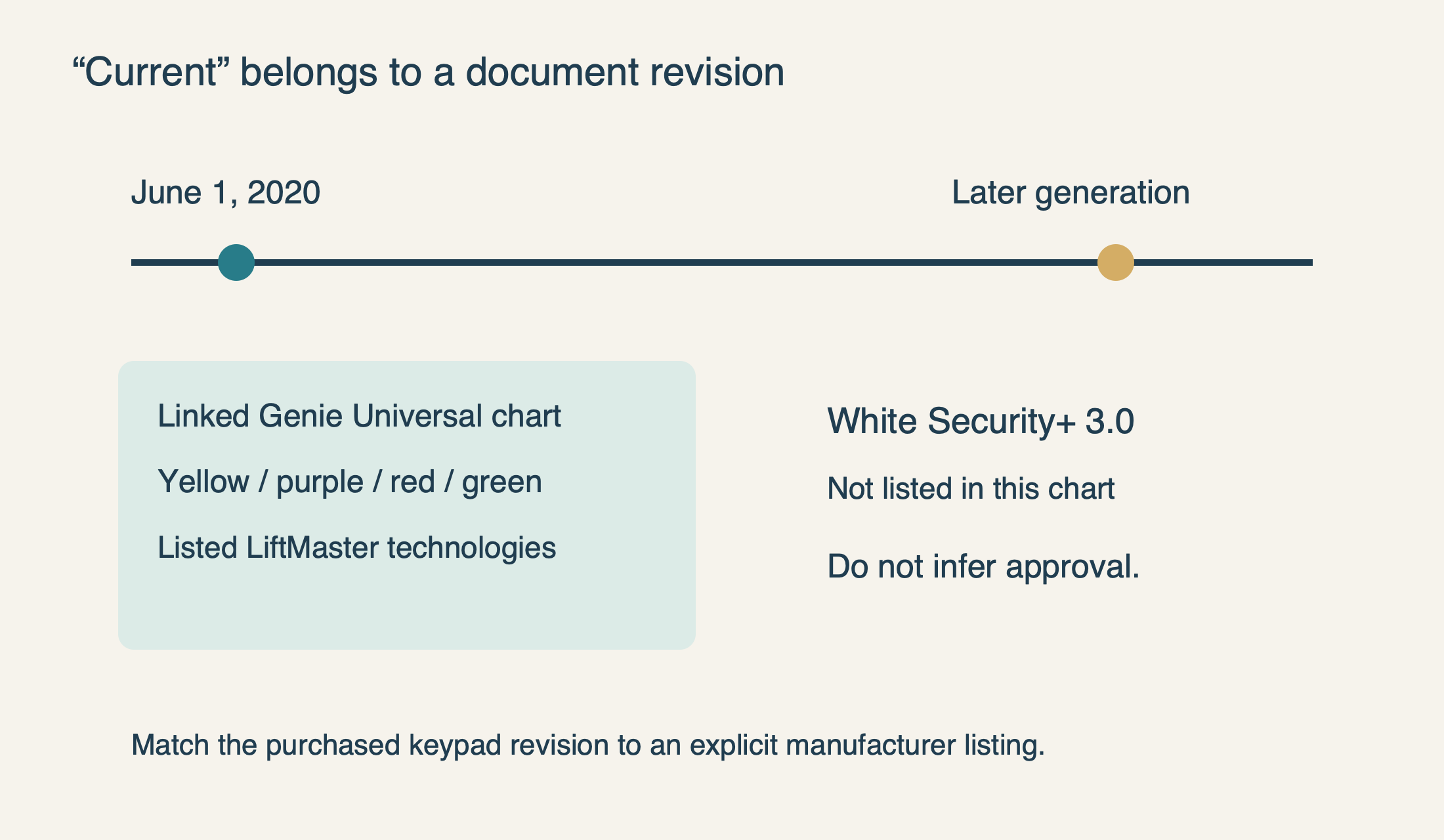
The Universal keypad chart linked by Genie during this review is marked revision June 1, 2020. It lists LiftMaster/Chamberlain/Craftsman yellow, purple, red/orange and green Learn-button technologies. It does not list white-button Security+ 3.0. That absence is not a reason to invent a workaround, and the word “current” inside a 2020 chart should not be silently stretched to cover a later radio system.
Genie’s own Universal keypad FAQ says rolling-code compatibility is limited to the specifications listed. If a newer product package or updated support document provides a different list, compare it to the exact keypad revision you are purchasing. Until the manufacturer confirms the match, treat an unlisted generation as unresolved—not as “probably universal enough.”
This also prevents a costly diagnostic loop. A transmitter using the wrong supported technology will not become compatible because its battery is new or the Learn button is held longer. Repeated resets may only erase working controls. Once the documents establish a mismatch, stop programming attempts and choose a supported accessory.
 Select the diagram to view it at full size.
Frequency alone is not a complete compatibility specification
A frequency such as 315 MHz or 390 MHz is only part of the description. The official charts also name a code system or receiver generation. Two devices can operate in a similar radio band without understanding the same commands. Match the complete listed technology rather than shopping by one number on a label.
Likewise, a Wi-Fi logo on the opener does not specify its ordinary keypad radio compatibility. Phone connectivity and a conventional wireless keypad may use different communication paths. You do not need to compare mobile apps to resolve a keypad purchase unless the particular keypad’s documented features require app management.
External receivers deserve special attention because they can become the relevant radio endpoint. Record the receiver’s exact model and verify its accessory list. Do not connect a generic keypad to opener terminals, bridge wires or add an improvised receiver merely because a wireless pairing attempt failed. Compatibility research should not turn into experimental wiring.
Check feature compatibility as well as basic operation
A keypad that can issue a door command may still lack the access feature you expect. Confirm whether the exact combination supports temporary PINs, multiple doors or app-managed credentials. Do not transfer those features from a review of another model. Our temporary-PIN guide shows why receiver type can restrict a feature even when ordinary keypad operation is available.
For a two-door garage, verify both openers independently and then the keypad’s capacity and selection method. Genie describes its Universal keypad as supporting up to three individually programmed openers, but that does not mean every possible set of three openers is compatible. Each unit still needs to appear in the applicable technology list.
Consider normal use too: a readable keypad, a weather-protective cover and a mounting position with a clear view of the doors are practical requirements. Do not prioritize a convenient blind location over safe observation. If the existing mounting position is damaged or unsuitable, include proper installation in the purchase decision rather than treating it as an afterthought.
Make the purchase with evidence you can keep
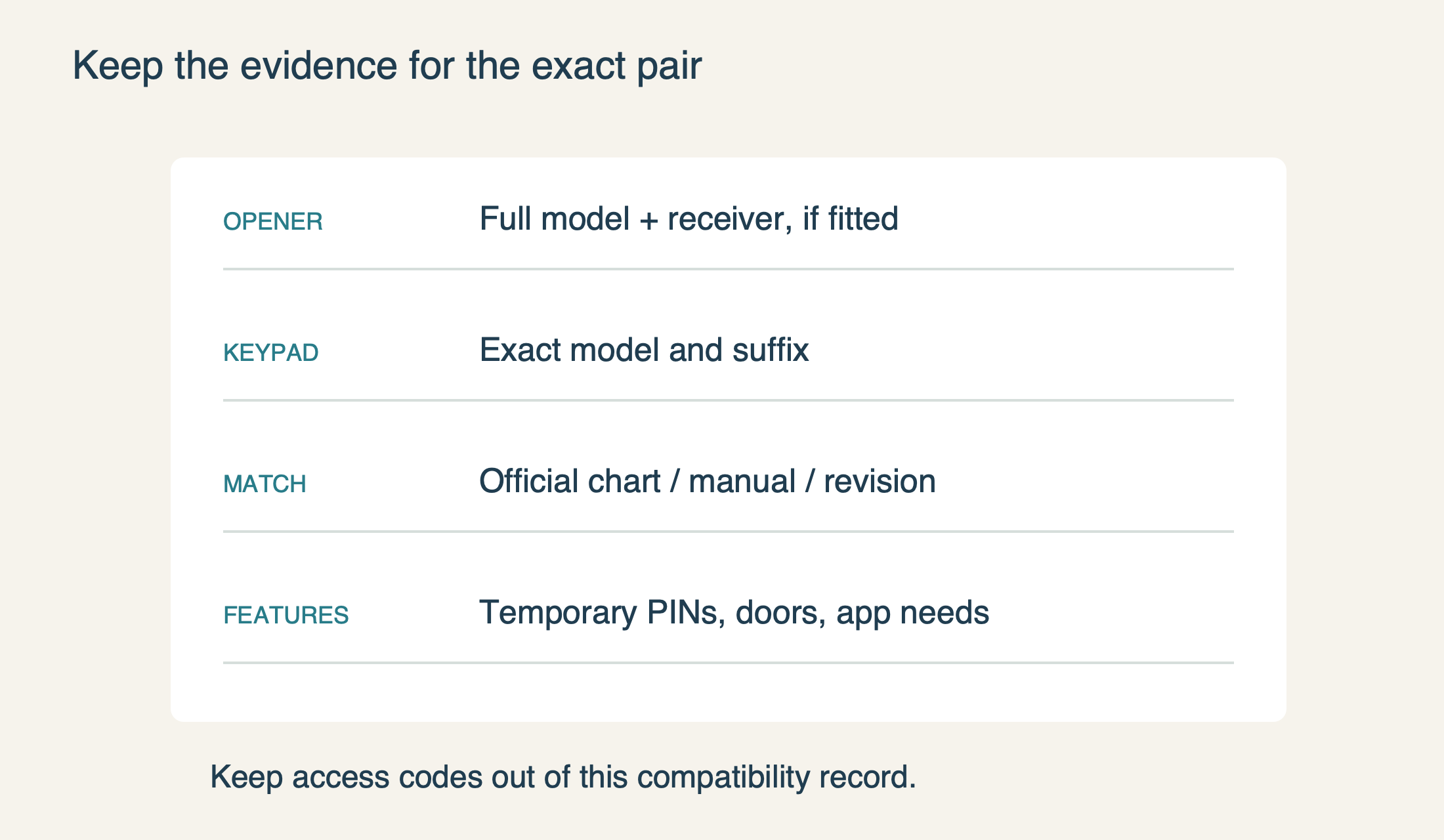
Before ordering, save the opener model, any receiver model, the exact proposed keypad model and the official document that connects them. Include the document revision and any feature limitation that matters to your household. Keep the record without access codes; compatibility evidence and credentials should not be stored in a public product question.
Confirm what is included and what the return conditions are before spending money. A low accessory price is not a saving if the package is an old generation that cannot communicate with your opener. We do not provide an invented price ranking or claim that a discontinued model is the best choice because it appears in many older guides.
After delivery, compare the received model with the one you verified before mounting it. Program using its own complete instructions and test with the doorway visible and clear. If the documented match still fails, preserve the observations for support or an opener assessment. The successful outcome is not merely a keypad that lights up—it is the intended accessory operating the intended door reliably and safely.
 Select the diagram to view it at full size.